How I built a libguide

aka I think I’d better think it out again …

Over the summer I completely rethought our school library libguides, and I’ve received quite a few positive comments and questions as to how I made the guides. Unfortunately there is not quick and easy answer, as the process resembles more closely this TED talk on building a toaster from scratch than a few lessons on embedding photos, files and links.  So a little warning that things may get a little geeky.

When I started building libguides at UWCSEA-East nearly 5 years ago, I really had very little idea what I was doing.  Content wise I was OK – I’d interview the teacher or head of department who wanted the guide, or Katie Day would tell me what she had in mind, and off I’d go finding interesting bits and bobs, do some extensive research and put them in a guide in some kind of logical flow and predictability.  We started with making IB subject guides, really something to help students think about and around their subject and to perhaps pique interest in an area for their Extended Essays. Then teachers would ask to expand on a specific area (like development economics).  Anyway, when I left to take up a position in a PYP library at CIS, I resurrected our libguides and continued in the same line with the thought of uniting our digital and physical resources. Except primary and secondary are two very different ballgames. Aside from the obvious content issues – videos and links need to be age appropriate, the way that younger students access web-based information is very different to older students.  And so my journey began.

During the LKSW at UWCSEA-East last February I attended a workshop by Brad Tyrell of Scotch College. Now Scotch probably has the most awesome looking libguides around.  They also have a team of developers and designers and IT-type specialists and vastly more staff than most libraries could dream of.  So let’s say they’re the Koenigsegg CCXR Trevita, and up to then I’d been the Tata Nano, I reckoned there had to be a way I could get to at least a Toyota level, or maybe a basic Tesla.

Unfortunately that workshop was a little too basic, but I did learn a few tips and tricks, including to watch out to use items that were counted statistically (books, links, databases) rather than just RTF and images, so you could have an idea of what people were finding useful / using and what not. There were also good hints on workflow and guide organisation.  After the workshop I jazzed up my homepage and it looked like this:
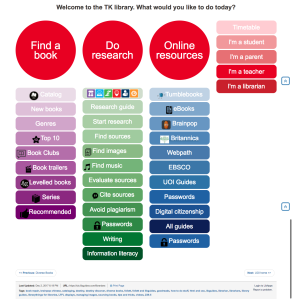
Old libguide

While it was colourful, and to my mind logical and easy to access all the bits and pieces (plus each box was a link rather than rtf, so I could track where users were going), the overwhelming response from students when I and teachers asked for feedback at the end of the term was that there were “too many words”.

This is a common refrain in schools about just about anything with words – from websites to encyclopaedias, to books and beyond. In fact my teenage son introduced me to the concept of TL.DR (too long, didn’t read) along with a chrome extension to take away the grief of wordiness.

Luckily it was just in time for summer break and I had plenty of time on my hands to dig into this.

As I’m no longer a child, and fully, if not hyper- literate,  I needed to understand a bit more about children and websites. There were more than enough articles on this, with this one from Canva the most useful. Conclusion after a few day’s reading was basically to go bright, use images and icons and moving and clickable things.

The next step was to brush up on some HTML and CSS. I’d previously run through some tutorials of W3Schools that were really good, and in fact used their scratch pads to do the limited coding I’d needed for the previous libguides. But I needed to think not just coding, but coding and kids. So I did a basic course for kids, kind of because I thought I’d need to think like a kid.  It actually was a brilliant way of seeing the relationship between HTML and CSS in a very tangible way.

Next up was looking through lots of Libguides. Luckily Springshare, the purveyor of Libguides is excellent at sharing information and customer service, as are most of the librarians who use Libguides – making their guides (most of the 550k) open to access and copy and use. They have a collection of their “Springypicks“. I saw one I rather liked, the Mary Baldwin university library, but couldn’t figure out what they were doing. So I reached out to their librarians, and Anya Jones was online at the time and wonderful enough to do a google video-chat with me, to point me in the right direction of the knowledge I was missing to go further. How important knowing what you don’t know can be!

So it was back to the learning site, and off to SpringyCamp. SpringyCamp is this awesome online learning platform provided by Springshare free of charge whereby at certain times you sign up for whatever course at whatever level you’re at and they show you how to do stuff. Since I was in Europe there was only a 6 hour time difference rather than they usual 12 hour night and day problem so I could attend one live. The best part is if things went too fast, or you’re in the wrong time-zone you can watch the videos afterwards. A tip in this regard – I usually watch the video on my iPad while “doing” the stuff on my laptop – this means I can pause, try out, rewind, retry etc. otherwise it’s in one ear and out the other by the time I try to implement anything.

Then I discovered how primitive and naive I’d been, and moved one step closer by downloading a web-text editor (in this case Atom) that made my life infinitely easier. (Ok, I was really starting from zero, so don’t laugh).  The most useful course I followed on the Springshare Video site was CMS Libguide / CSS.

Since it was vacation, I had the luxury of two teenagers at my disposal, and although they are way past primary age, they could critique what I was doing, and my daughter was put to work helping me select icons (mainly  flat iron and envato) to purchase, or to make icons by adapting graphics from noun-project (like the ones she made for the PYP site). This helped me through a short-cut not have to add yet another tool into my kit – learning adobe illustrator.

The last bit involved using LibraryThings for Libraries book display widget to have scrolling book covers. Luckily this was something I’ve used before, so it was just a case of uploading our most recent Marc records and creating separate widgets for new books (front page) and the various other pages and familiarising myself with their upgraded version.

Once you have all the tools and skills at hand, there is of course a fairly long process of trial and error and planning as to how to put it all together, some of that just plain old pen and paper. And even then you keep tweaking things as it doesn’t quite gel or look like you’d like it to.

Here is the end result for the home page:
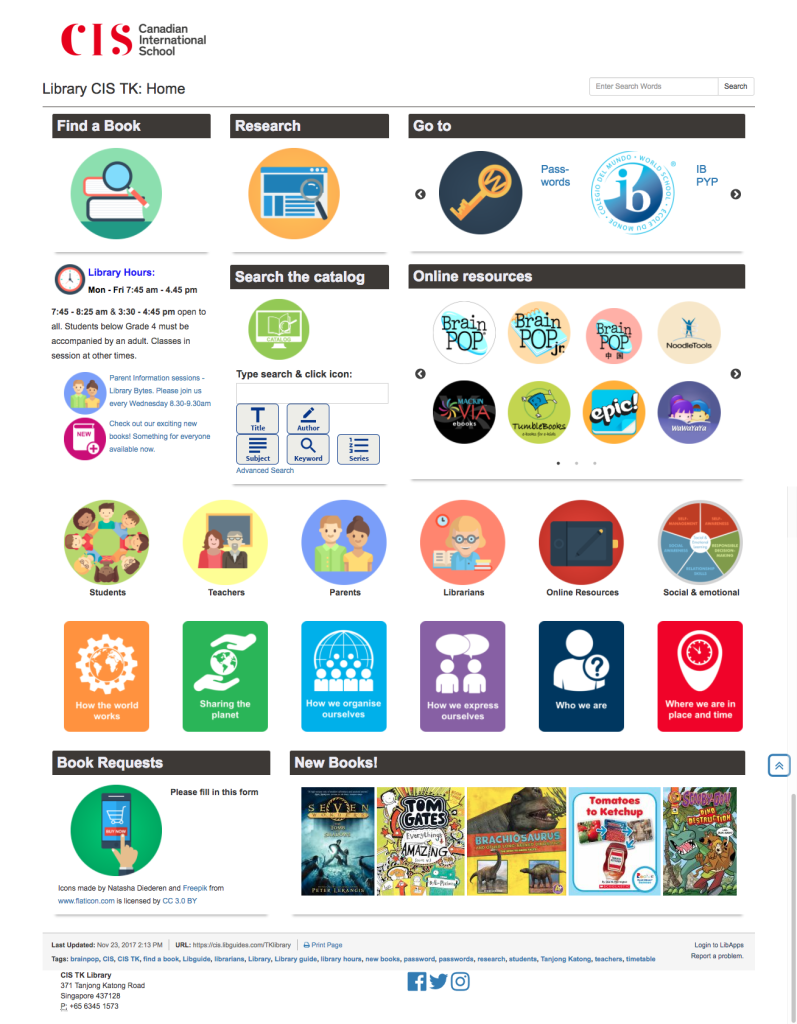
TK library front page


Of course changing one thing means you really need to change everything, because you’ve set new standards for the way things have to be.  This is time consuming, but you also have the advantage that it gives you lots of practise, so you don’t forget what you’ve just learnt. I also revamped all the UOI guides as they’re the most frequently used, and
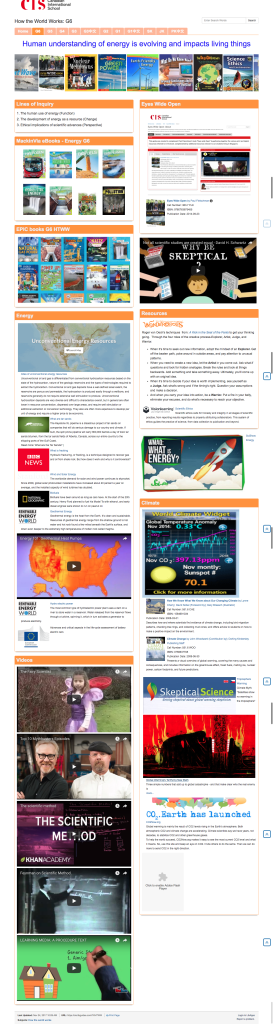
G6 HTWW


I’m moving my way through other guides. And they’re not perfect, every time I look at one I need to change a bit more. As we move towards new unit’s I’m updating the old guides so that the look and feel is the same, that the same elements can be found in the same places, and responding to student and teacher feedback. Some guides are a lot longer with more information on them – depending mainly on how intensively they’re used by the teacher, and some are more perfunctory – basically just a minimal presence because they’re not used / valued as much. That’s fine by me.

When I tell people who ask that I do libguides inbetween everything else, often in 10 minute chunks of time it is completely true. I don’t have a lot of time for this, which is why I do set-up and brain work in vacation time, so during term time is just filling work.

The next phase of the process has been to do some staff development so that my staff can take over the maintenance of sites. For example every time we have a new batch of books, they scan the ISBN’s into the “new books” LTFL widget, delete the previous list and my front page is automatically updated. While I was waiting for a new Chinese assistant, I also roped a bunch of Chinese speaking mothers (see my point on 10% in my last blog – one of them has a degree in Chinese literature) to read through all my Chinese picture books and put them into resource lists based on the PYP essential elements. These could then be linked to the PYP guide.

As a school with bilingual classes we have an increased responsibility in the library to ensure there is equity in the provision of help and resources to our Chinese classes. This is easier said than done. My new Chinese speaking assistant has been tasked with a more extensive involvement, including creating the Chinese Guides, as that is not something my limited Chinese extends to. The great thing is that they actually love this work, finding it more creative and fun than the check-in/check-out and shelving tasks that is their usual daily fare. pyp concepts
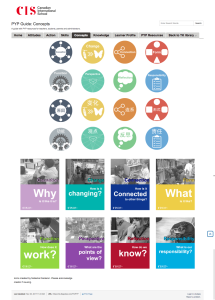
The next next phase for me is student curation. We’ve done a little of that, for example by asking G6 students to recommend the 3 best sources of information during their exhibition project.   Last year we also started experimenting with Flipboard for the curation of articles by G5 & 6 students and teachers, and then embedding the Flipboard into the guide . We could do a lot more in that respect, but we’re being cautious with articles vetted by teachers or myself before being added.

Of course 4 months later I’m not entirely satisfied with everything. There is still a lot of work to be done on consistency and getting older guides up to standard. I need to work out a better process of guide building and handover. And after chatting to Kim Beeman at Tanglin, who is redoing her guides – albeit with a good number of dedicated qualified design and technical staff, I know I need to delve into UX.  She’s recommended a couple of web accessibility evaluation tools such as mouseflow, WAVE, and crazyegg. But that will have to wait for the Christmas break, as this is just a small part of my job!


#1 Digital resources

In an attempt to blog more regularly, I’ve signed up for a challenge – so these posts will be in amongst all the other stuff I may be blogging.

#FutureReadyLibs 10-Week #BlogChallenge Challenge #1: How did you get involved in the Future Ready Schools/Future Ready Librarians initiative? Are you involved in the district strategic planning process? What is your vision for a future ready school? What makes you a Future Ready Librarian?

How I got involved

Well I guess it was just a result of being added or adding myself to a Facebook group that looked interesting. Sometimes things just happen that way.  Also since I’ve just finished my MIS and M Ed degrees I’m still vaguely interested in this type of thing, in order to keep my learning up to date.

frlblogchallenge1I think our school, as an IB PYP school is pretty future-ready in many aspects, in fact sometimes I think the cost of being “future ready” is that you occasionally need to go “back to basics” and check up on the 3 R’s and make sure you stay sober and self-critical.

Am I future ready as a librarian? Looking at the little graphic on the left, I can tick most of those boxes, or slices, inasmuch as things are in my power at least. And where not, I’m constantly nudging for change.

I’m not entirely sure if I’m on the right topic for this week – I’d note “digital resources” so I’ll write a little about that.

Curates digital resources and tools:

When I started my job at my current school I’d come from working part time in a secondary library where a large part of my time was spent creating library guides for the Middle & High School (including the IB).  I was lucky to have Katie Day as my mentor, and we had many many discussions on how to curate resources so that students had easy access to them from their laptops (they’re a one-on-one macbook school in secondary). The idea was to have digital resources in the form of videos, curated Flipboard articles and database access, but at the same time make our physical resources digitally visual and “clickable” for later borrowing as necessary.

Screen Shot 2017-03-28 at 4.55.31 PMSo, a few weeks into my new job I discovered we had an unused library guide subscription, and I immediately put it to work. Of course curating for primary is a somewhat different proposition. Immense more thought and care needs to be put into ensuring things are age appropriate – in content, in level and in access.  And I was a newbie … so it was a case of building things and hoping they would come. It’s taken a while. After the first year, a couple of teachers were on board, and now more and more are coming to expect and use the resources. My main objective is to move away from letting kids “just google it” to an idea of just like we don’t throw a bookshelf full of books into their UOI (unit of inquiry) boxes, but make sure they’re appropriate for the grade level, for the central idea, for the lines of inquiry, and may even evolve as they go through a unit, so too we can have digital resources that are similarly curated.

A few things have been a huge boon in this respect.  In the first instance I cannot express my admiration for Epic books enough. They are an absolute game changer.  In terms of depth and breadth of their books they far surpass the incumbents such as Tumblebooks. I do have some librarian type quibbles with a few of their set-up methodologies, but that’s small fish compared to what they’re achieving.

Secondly, Springshare – the owners of Libguides are just phenomenal in their ability to constantly evolve and develop their platform. I love the fact that the libguide community are so amazing in their ability to creatively curate, to combine physical and digital and particularly the fact that they demonstrate CREATION and SHARING, which is absolutely what a future ready community should be about.  Also, my desire to make good looking guides has pushed me to learning some (very basic) HTML which never ceases to impress the fine young gentlemen and ladies in my library who then realise I’m not just an old library lady!

Thirdly LibraryThings for Libraries through their book display widgets they bridge the gap between a lovely visual interface (libguides) and an old stodgy very unfriendly catalog (Follett Destiny).

As far as tools are concerned. I try to keep introducing appropriate tools to my students and to fellow teachers – but only if they are meaningful. It’s a balance. Our students are “over tech-ed” and we’re getting a lot of pushback from both parents AND students about the amount of time they spend in front of a screen. So where it saves time, hassle, helps make things neat and well spelt, sure. Otherwise it’s back to the physical.

Empowering Students as creators

I’m very fortunate to be in a school environment where there is an EdTech coach and a STEAM coach. So wild ideas for physical or digital creation can be co-shared with them. We’ve had students create book trailers, book recommendations, book spine poetry, book covers, their own books, display work pieces in the library etc.  I don’t think any of that is particularly special though – most librarians do that kind of thing in conjunction with their students and teachers – it sure makes displays easier!

Builds instructional partnerships

That part is definitely a work in progress. It’s tricky. I could blame a whole host of things – fitting in 35 classes a week on a fixed schedule, a yet to be approved information literacy scope and sequence that’s embedded in the curriculum, running, managing and keeping up to date (and renovating) a facility, curating digital resources in library guides … but instructional partnerships is a ball I’ve dropped. Or actually never really properly had in the air. It works piecemeal, depending more on relationships and invitations than being structural. I’m working on it with my fellow librarians from our other campus, the head of curriculum etc. It takes time is all I can say. And I don’t think I’m the only one saying it judging from the comments of my fellow teacher-librarians.  I beat myself up about it a LOT in my first year. To the point of tears. This year I’ve been distracted a bit by the renovation and staff medical issues. But we’re inching there.  Watch this space.

A tale of two systems

I’ve just spent the last 4 days at the #LKSW2017 where 80 librarians around the SE Asian region got together to learn and share (mainly teacher) librarian practise. I also hosted a Chinese lady from a school in China and gave a daily ride to another Canadian librarian working at a school in China. We had some great conversations.

The first workshop I attended was led by Brad Tyrell. He of the magnificent Libguides at Scotch College that induce envy in every other libguide – even if you know that there is a slew of very techie people behind the gloss. During the workshop he kept emphasizing that everything that they’ve done is on a creative commons basis, and in fact shared all the documentation and templates used to make the guides.  He also explained that their staff’s job descriptions include an imperative to share what they’ve done – so everytime they’ve created a new library guide, they not only share it with staff and students internally, but they also have to post it on the listserv / social media of their local library association.

This is something I’m very comfortable with, and in fact have had many discussions with my lecturers at CSU about plagiarism and the sharing of academic output amongst students, where my (slightly controversial) view was that every academic assignment I’ve made is, and should be public, and that if students abuse it, or lecturers can’t be bothered to change the assignment, the system should take care of it… discussions documented here.  My libguides are also open, and I encourage people to take what they need from them and to adapt them to their own situation – and in turn, I get inspiration and links and resources from the other community guides. What do we all want? A little acknowledgement and for it to be on a “I share so you don’t just take, but also share”.

Then there is the in-between state, I’d call it the TpT state (teachers pay teachers), where you’ve made something that’s taken so much work, it’s done in your spare time and has cost you time and effort and is of a quality that you feel you can sell it. Personally I don’t do this, I’m more on the open source side of things, but I have bought items from other teachers where I like what they’ve done and don’t think I could do a better job.  For a rationale for this model, please read this.

And then the opposite extreme.  Chatting to my two compatriots working in China, I was surprised to hear that neither their catalogues, nor their library guides were open.  I was asking about sourcing Chinese books for our program in particular, and specifically nonfiction books for our UOIs. While they were helpful, and the actual answer is due to the predominance of text-books their is a less developed nonfiction publishing market at the primary level, none of their catalogs or resource lists were open. So unlike many other schools where I could take a look into their lists to find some good resources, this wouldn’t be possible. They explained that the Chinese private school market is very very competitive and this is all considered to be proprietary and competitive information.

Which of course leads to the question – are you being stupid or reducing your own competitiveness by sharing?  I’d like to think not and that everyone is better off as a result of this and opening things up allows them to be improved upon. Provided of course that the person doing the adaptation and improving is similarly civic minded and pays the sharing forward – which isn’t always the case.

Paying lip service to information

One of the paragraphs in this week’s modules struck me:

“It is often said that we live in an information age, and that the price of failing to act promptly to take advantage of positive new developments or to dampen the impact of negative ones is often likely to be rapid and painful. Yet there is plentiful evidence that sources of information, including both special and public libraries, are under-utilised by those in business and very often seriously underfunded. It is possible to conclude that business (like, one fears, some politicians, local government representatives, university administrators and school principals) is more likely to pay lip service to the importance of good information services than to support them in a practical way.” (INF538, Charles Sturt University, 2014)

I think it is something that librarians have to battle with on a daily – if not some days, hourly basis. Yesterday was a case in point. Our library received not one, but two, lengthy requests for materials and resources (mainly really expensive books) to support curriculum.   Oh, but that’s a good thing. It’s a great thing you may think.  Teachers reaching out to libraries to support their information needs.   Yes.  And no.    You see, the need for information, the seeking of and the request for and the acquisition and dissemination of the same is not so much an “on / off” switch (or email request) as a dialogue.  And what was missing from these interactions was the dialogue.

An information resource does not exist in a vacuum.  It has a context.  And in a school the context is made up of so many things.  And without the dialogue the quality is likely to suffer.

In our training, a big deal is made of the “information interview”  and there is reason for this.  We need to know details about what the client needs.  This includes the age group and reading and understanding level of the students.  Where the module fits into the curriculum for the year and where it fits into what has come before and what will happen in the next year.   The cultural composition of students.  The teacher needs to know what we have in the library.  What databases we have access to. What ebooks and digital materials are available.   Videos, youtube clips, and libguides we have created.  What other teachers have requested in the same and higher and lower grades.

This is why the first step and not the last should be to pop into the library and have a quick chat.  That way there is less waste of time while teachers make lists from google or amazon that may be entirely inappropriate, or a duplication for what already exists.

“support them in a practical way” … what does this mean for an organisation and a library service.  I think more than anything else, is to give it credit as an integral part of the information flow in the library.  Not an add on, but embedded.

And now the chicken and the egg question.  Is it the responsibility of the library / librarian or the administrator?  Where does one start?  How slowly must the process move?  At least one teacher said during a meeting yesterday (adhoc, impromptu and sudden for an ‘urgent’ reactive need)  “I wish I’d talked to you earlier”.    To which we responded by just fitting in with their plans and agreeing to meet their needs.   I can’t help thinking about the time management boxes that were so popular a while back with the “urgent, important etc. blocks”   Clearly something structural needs to occur.  But what and how?

Everyone is trying their best. Everyone has time and other pressures.  There never is a steady state.  So how do we become drivers, or at least co-pilots instead of passengers on this trip?

Day 4: Technology in the library – how has it affected your role

I’d say that it’s thanks to technology that I have a role in the library.  Just before doing my work placement I got involved with creating a pathfinder for my course in information services, which was quite well received.  On the back of that, during my work placement I had the wonderful task of creating lots more pathfinders – all using Libguides.

Here are a few of them:
Psychology
Music
Mathematics
Science
Economics
Drama & Theatre

One of the wonderful things about technology in the library is that it means that we can curate information for all types of learners in all types of formats, catering to the way students best absorb information and learn.

Today I saw a really cool infographic on videos, personally I HATE getting information via video, but it’s the best way for my son to learn.   And – newly learnt from that infographic – youtube has become the second biggest search engine on the internet after google …

The good thing about a pathfinder like libguides is that I can incorporate videos and pictures and podcasts and links to books.  I can make it very visual.  I can make it current with links to RSS feeds from the news, and design-like with my click-through to the various flipboards we’ve made for each subject.

Not every librarian has the time or inclination to make libguides, or likes making them, or enjoys sniffing around the internet for just the right video or picture or podcast or blog, but I love doing that.  I’ve got all sorts of ideas for pathfinders for lots of different things, not just academic subjects – like one for parents of special learning needs kids – everyone needs resources and it’s so much easier if you have a starting point, not just the whole wide web shooting it out at you.