#DecDisplay month over at GLLI

Despite appearances to the contrary I’ve actually been extremely busy blogging this month, doing a daily blog over at GLLI-US.org. Here is a summary of the month’s blogging with links to the individual blogs:
——————————-

I hope you’ve enjoyed my advent calendar type selection of “displays” for the month of December with a variety of ways to slice and dice collections and perhaps you’ve even found a few new or different books to add to your collections.

A couple of people have asked me about the how and why and wherefore of these posters, so in this wrap-up I’ll give links to the templates and also some ideas of how they are used in the various contexts. Generally all posters are put into A4 presentation books and are available in the ELA classrooms and in the library. Some selections are used for displays at the entrance of the library or on the display wall. Others are more of a “pop up” display when different classes come into the library to browse or borrow books with their classes.

Country Celebrations

This image has an empty alt attribute; its file name is country-cover-small.png

Country celebration posters are sent out in our student and staff bulletins to coincide with the National Day of the various countries. I asked our Powerschool guru to run a list of all countries where we had at least 3 students having the country as their first, second or third passport, got a list of national days and worked from there. Sending out those email “birthday cards” is one of the most rewarding things I do as a librarian as I get so many thank you emails in response and students and adults coming in to borrow some of the books on the list. Depending on how busy our display space in the library is, I may or may not display the books at the library entrance.

Here is the Canva template with the posters made so far.

Read Around

This image has an empty alt attribute; its file name is music.png

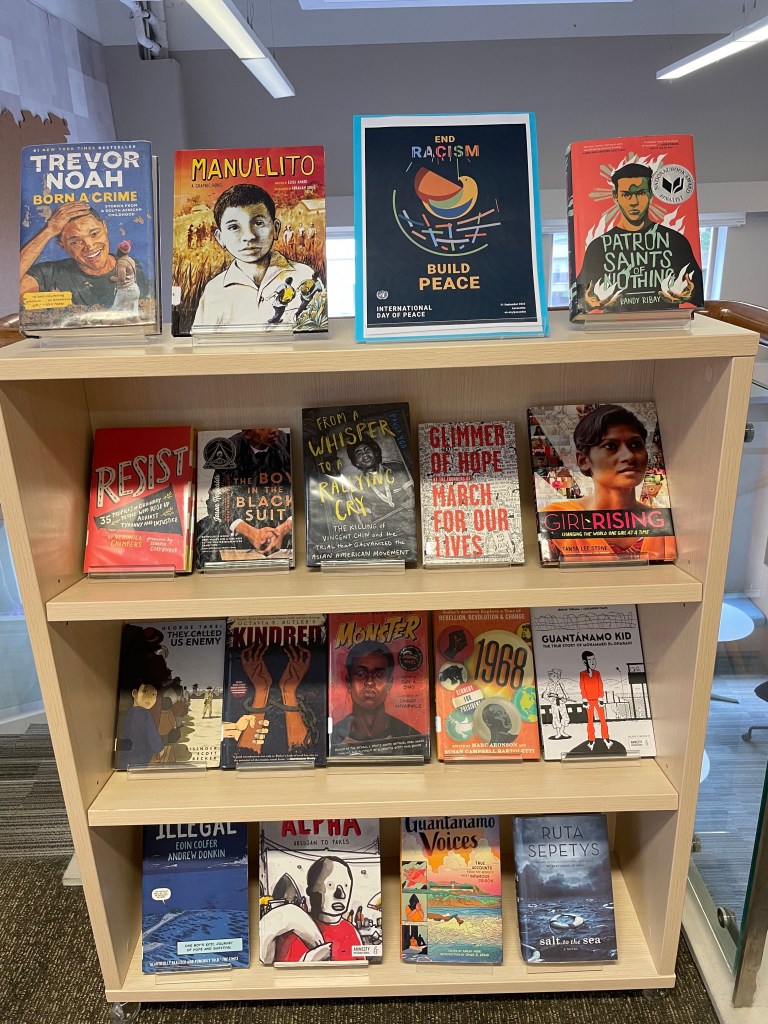
The read around posters are shared with our teachers of various subjects and generally they print them out in A3 size and put them either on their walls, doors or display boards outside their classrooms. Sometimes, when students come into the library with their ELA or Social Studies teachers I’ll have the books laid out on tables for them to have a look at and borrow.

Here is the Canva Template with the posters highlighted and more.

Reading Recommendations

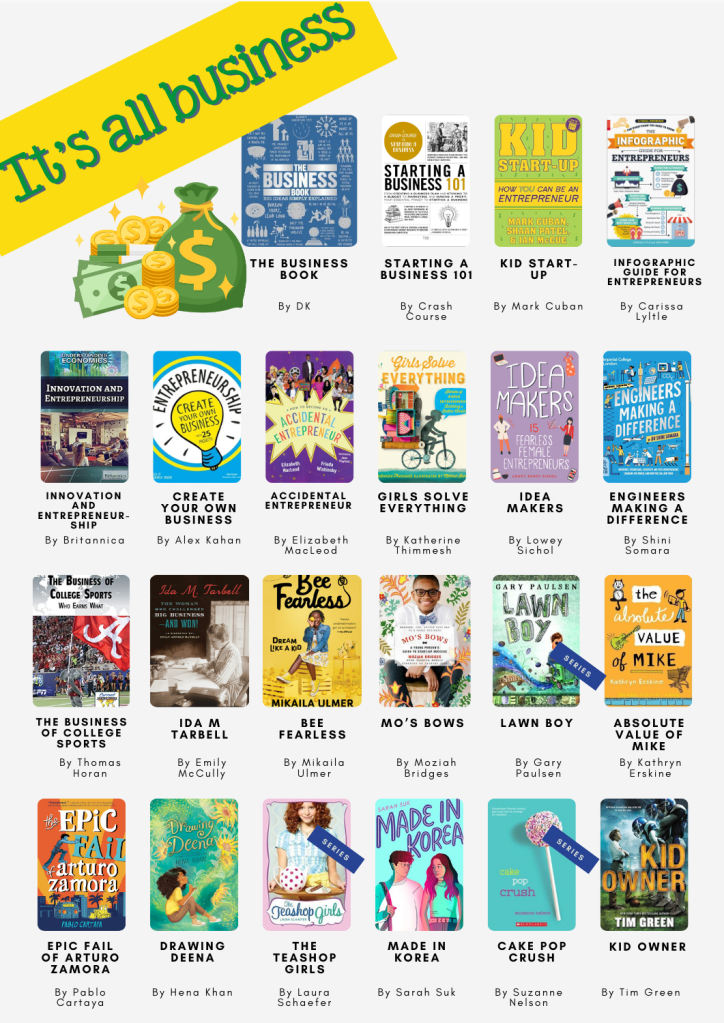
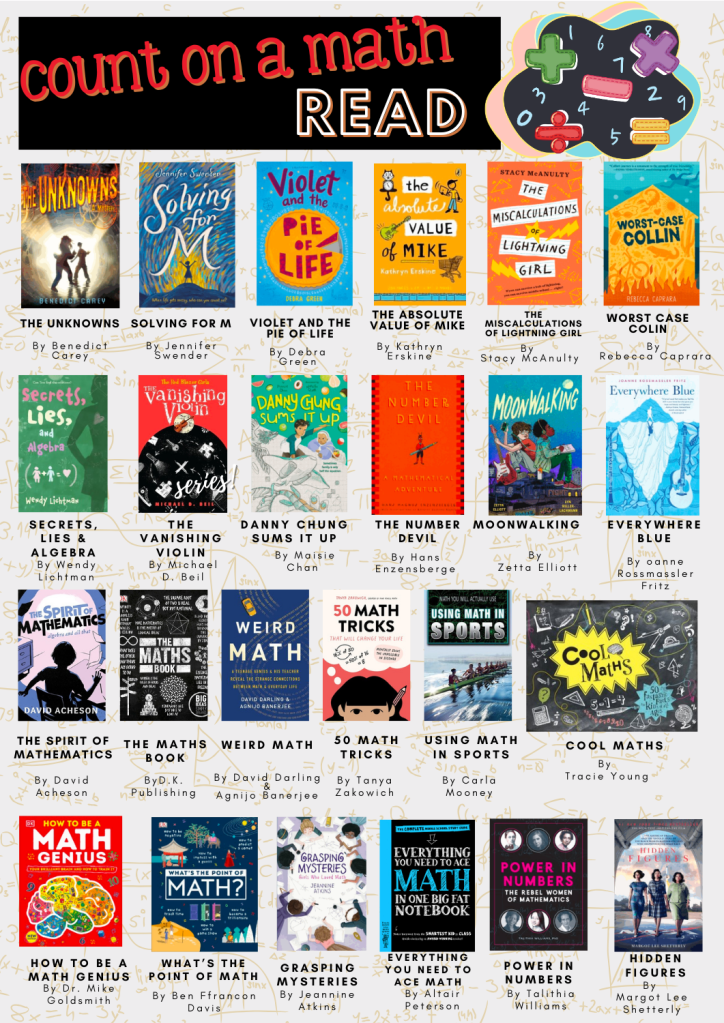
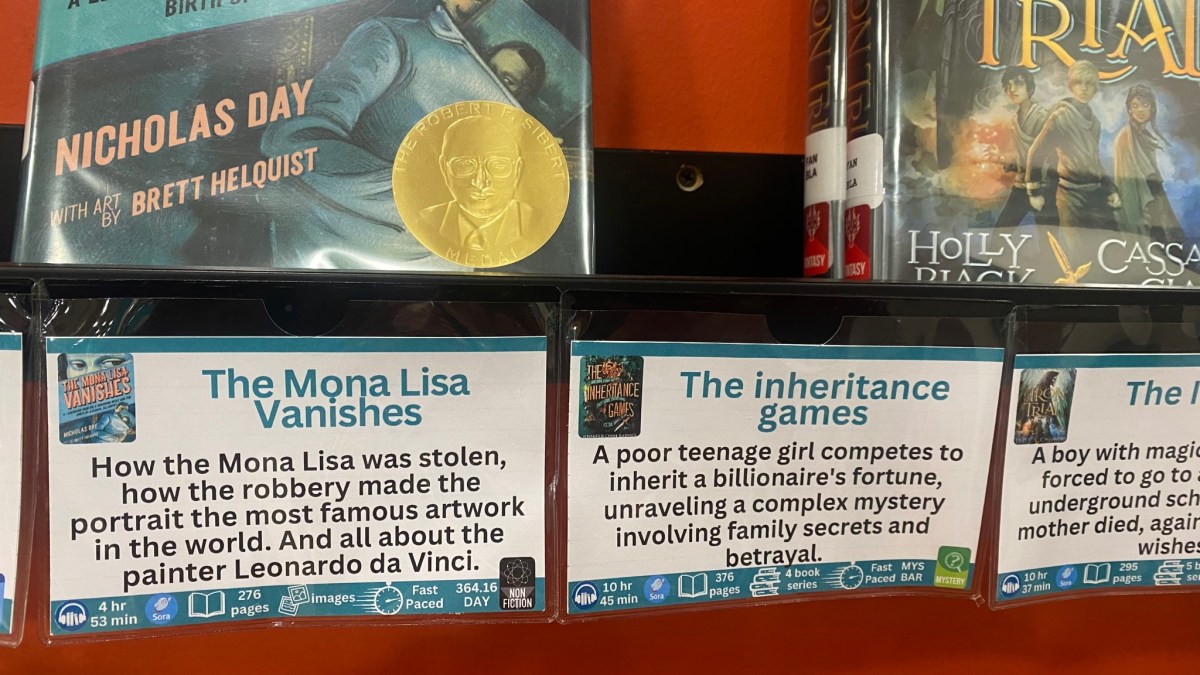
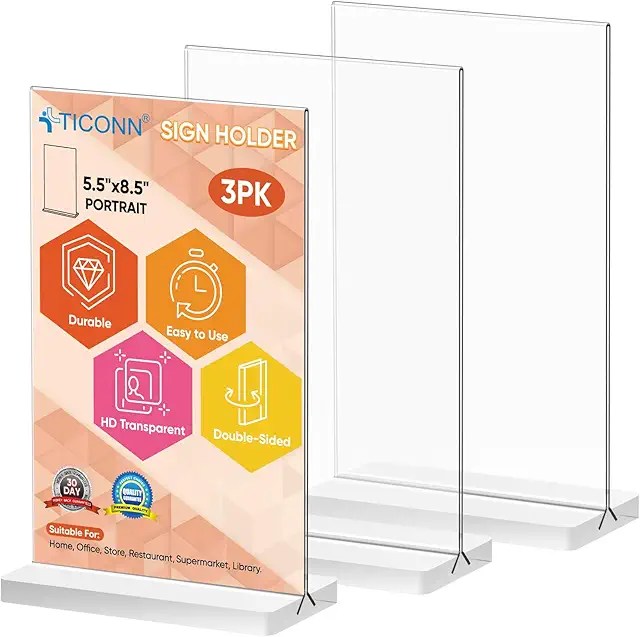
These and many other “Read alike” posters are printed in A4 and put into plastic “look book” presentation books that are available in the library and also in all our English Language Arts classrooms. Since our middle school students come to the library with their classes around once every 4 to 6 weeks, it makes it easy for students to browse for books in the classroom thematically and then go to the library with purpose in between the more formal library visits. When they come with their classes, I’ll generally confer with the teachers as to what they’d like displayed / what’s “hot” or wanted and then I’ll haul a bunch of tables to a part of the library where they can browse. Then these posters will be put into A3 acrylic sign holders on each table.
This image has an empty alt attribute; its file name is 614InJVsCaL._AC_UL640_FMwebp_QL65_.jpg
This image has an empty alt attribute; its file name is 51tepSnSCQL._AC_SX679_.jpg

All Posts

Finally here is a list of all the posts from this month.

This image has an empty alt attribute; its file name is nadine_bailey.png

By Nadine Bailey – middle school teacher librarian, currently living and working in Dubai, formerly in Beijing China, Singapore and a bunch of other cities around the world. Passionate about our students seeing themselves and their worlds in literature and developing curiosity and a passion for reading and learning.

The views, opinions, and thoughts expressed in this blog post are solely my own and do not reflect the positions, policies, or opinions of any current or former employer. Any references or examples provided are intended for informational purposes only and should not be construed as endorsements or official statements from any organization I have been associated with.

The current image has no alternative text. The file name is: shelftalker2.png

Nonfiction in the middle

Mediating between curiosity and research, curriculum and pleasure By Nadine Bailey and Katie Day

In the summer of 2024 we asked International School Middle School librarians to tell us the story of nonfiction in their libraries. We wanted to know their ambitions, frustrations, organisation and display as well as their collection development and usage plans. All books recommended in this article can be found tagged in our LibraryThing Shelf (https://www.librarything.com/catalog/middleNF). 

Curriculum and Research

Educators and librarians who have been around for a while know and recognise the pendulum of ideas and practice that upend things first in one direction and then another. Nonfiction is one of those things where some of the momentum is now moving back to the practice of reading subject matter in physical form. Many librarians responded that in a post-covid learning environment both they and the teachers they work with were moving back to giving information in print form – mainly books where they were available, but also printing out articles from online sites such as Britannica and Newsela in order to encourage deep reading, avoid distractions and teach nonfiction reading skills that could be later transferred to online reading. 

Schools following the IBO (International Baccalaureate Organisation) programmes (PYP/MYP) had particular interest in “transdisciplinary” and cross curricula books that would offer broader perspectives on curriculum or unit themes. Many librarians were investing in books that would support inquiry into aspects of the United Nations SDGs (Sustainable Development Goals). There was also a keen interest to ensure that sufficient “local” (country where the school is located) and “diverse” (countries of students’ origins) content was available in the library.

Many librarians have quite heavily weeded their nonfiction sections and are now looking to re-stock them based on this renewed interest in physical books. But it appears that publishers are not necessarily aware of what is happening on the ground and are not always updating and bringing out new editions of popular texts. 

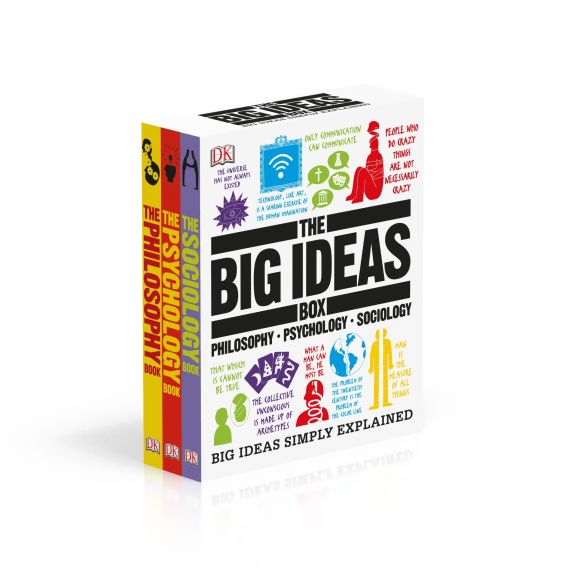
On the other hand, most respondents remarked on how much progress had been made in the last few years on the design, layout and illustrations in recent nonfiction texts. There was also a shoutout for the increase in different formats including “Oversize books” (see the books of “Big Picture Press – Welcome to the Museum”); Graphic and Manga imprints (series such HowToons; Cells at Work; and authors such as Don Brown and Jim Ottaviani); infographics (Infographic guides; ) Subject Summaries (The Big Fat Notebook series), Picture books (see this 2024 SLJ list) and Subject Overviews or introductions (DK Eyewitness, and DK Big Ideas).

Where curriculum and research is concerned, students can now often choose their favourite medium of access through a variety of formats.

Foster the flame of curiosity

Somewhere on the way to middle school, students amend their passions to fit in with their peers and ensure a sense of belonging. So out go the dinosaurs and big trucks to be replaced with their favourite sports personalities, music stars, books about their sports (soccer and basketball seem to be hits). Puberty hits this group hard and fast and strategic placement of sensitive materials can put paid to rumours and myths. It is also a time of self-absorption and worry about their physical and mental health – books on health and well being, relaxation, anxiety, meditation as well as psychology, are popular and an area of growth in most libraries. 

Given the demographics of our schools, students of this age are already taking a keen interest in finance, aspects of wealth and investment as well as entrepreneurship. They’re also interested in personally exploring hobbies and activities they may see online such as cooking, sewing and knitting or other crafts. 

History – particularly the world wars and more recent conflicts continue to fascinate and appal in equal measure – often mediated by historical fiction texts students may encounter in their literature studies or English classrooms and what they see on the news or social media. 

Shelving, organisation and display

In order to make nonfiction appealing and accessible, quite a few of our respondents mentioned they either had or were in the process of rethinking the way that nonfiction was shelved, organised and displayed in their libraries. There is a continuum from pure DDC (Dewey Decimal Classification) to a range of Book Shop or genrified models. Librarians were more interested in getting books seen and read than in a hypothetical need for their audience to be able to navigate a university library later. One of our respondents coined the lovely phrase of “emotional accessibility” in this respect. 

Of course most libraries have already taken the first step of putting “literature” or novels out of a straight Dewey 800 section into a fiction collection – genrified or or not. Other common “extractions” from the main Dewey structure include:

  • Taking Biographies, collective biographies and memoirs out of 910/920 and putting them in a separate section. Some libraries put collective biographies at the start of the section they pertain to (i.e. famous musicians go to 780).
  • Travel Books
  • Poetry
  • Drama and playscripts
  • Graphic Novels and Manga 
  • Narrative nonfiction
  • Myths, Legends and Fairytales
  • Parenting 
  • Well Being
  • Professional Development 
  • Sports 
  • Country specific collections
  • A specific nonfiction series that’s popular
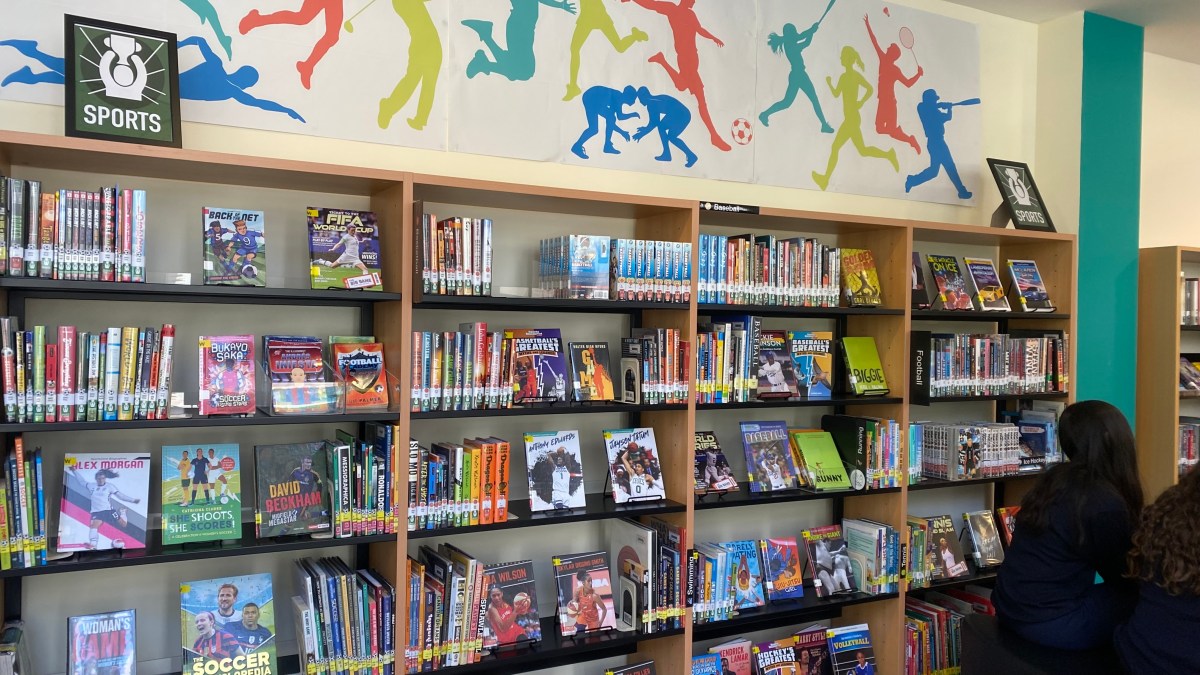
Photo: American School of Dubai MSHS Sport Section

In the absence of permanently pulling out a section – many librarians make use of rotating “dynamic shelving” or temporary topical displays. The guideline here appears to be to follow the needs and interests of the community – teenagers want to be able to independently navigate the library without adult intervention that may be embarrassing. 

Related to that – signage and signposting was an area that nearly all librarians were investing in. Many mentioned significant weeding that had resulted in more space for forward facing displays and carving out sections of interest. 

Recommendations

To support the discovery of nonfiction titles for middle school, we’ve curated a shelf of 389 (and growing) books on Librarything that we consider to be worth investing in. It’s an ongoing labour of love, so not every book has been tagged at this point yet.

Examples of Some of the tagging we’ve employed are (not an exhaustive list):

  • Narrative nonfiction
  • Manga
  • Graphic
  • Topic_
    • WW2
    • Women
    • Science
    • Mathematics
    • Religion
    • History
    • Climate
    • SDGxx
    • Activism
    • Wellbeing
    • War
    • Technology
    • Sustainability
    • Sports
    • Space
    • Social Media
  • Geo_
    • Southeast Asia
    • China
    • USA
    • Europe
    • UK
    • Australia
  • Edition
    • Young Reader

Since such lists can quickly go out of date, we’d also like to generalise with some series, authors, titles and publishers that we recommend.

Great AUTHORS 

  • Marc Aronson
  • Don Brown
  • Marc Favreau
  • Candace Fleming
  • ​​Russell Freedman
  • Yuval Noah Harari
  • Deborah Hopkinson
  • Tanya Lloyd Kyi (Canadian)
  • Randall Munroe
  • Jim Ottaviani
  • Elizabeth Partridge
  • Gillian Richardson
  • Steve Sheinkin
  • Cory Silverberg (Puberty)
  • Dashka Slater
  • Tanya Lee Stone
  • Pamela S. Turner

Great PUBLISHERS

  • Annick Press (Canada)
  • DK (Eyewitness; Big Ideas; Children’s Timelines; How Things Work; How Stuff Works)
  • First Second (MacMillan)
  • National Geographic for Kids
  • Usborne (UK)
  • Crabtree Publishing Company
  • Flying Eye Books

Great SERIES

  • DK Eyewitness
  • DK Big Ideas
  • DK Children’s Timelines
  • DK How Things Work / How Stuff Works
  • From Playground to Pitch
  • HowToons
  • Hazardous Tales (Nathan Hale)
  • Little Histories 
  • World Citizen Comics
  • UN sustainable development goals

Great TITLES

There’s been a recent shift toward publishing a Young Adult version of popular nonfiction titles either simultaneously or shortly after the Adult version. These can be found by searching for “Young Readers” or “Young Reader’s edition” / “Young Reader’s Adaptation”.

Blogs and nonfiction websites

Nonfiction Book Awards

Pairing Nonfiction and Fiction

Last but not least, pairing a nonfiction book with a novel can enhance both texts.

I initially started putting a fiction book on this libguide followed by suggestions of nonfiction, https://asdubai.libguides.com/ms/reading/nonfiction. I’ve now moved away from that somewhat and have started curating “Read Around the Curriculum” posters where either a curriculum topic is highlighted with fiction and nonfiction, or an “If you like / want to know more” poster is made of one of our book club fiction books with suggestions for finding out more about the context with other fiction/nonfiction books on the topic.

Katie Day and I would love to hear your suggestions for more nonfiction books, and perhaps we can expand the list to High School. Many of the books suggested in our list are suitable for High School and upper elementary as well.

Comments and suggestions much appreciated.

NOTE: Since the publication of this post we have been approached by commercial entities about using the list. While we cannot prevent the list from being used commercially this is our wish:

This list was created in order to freely help librarians all around the world. It was a labour of love which took a lot of our personal vacation time to create. If you are part of a commercial organization and you will be using the list commercially we would request that you attribute us and make a suitable donation in our names to “Biblioteca di Lampedusa” which serves refugees from around the world in their Silent Book initiative, https://www.facebook.com/BiblioLampedusa/ or the “IBBY Children in Crisis Fund”: https://www.ibby.org/awards-activities/ibby-children-in-crisis-fund.
Thanks. Nadine & Katie

796-799 Sports

The best compliment I’ve received in the last two years was from one of my (non reading) grade 8 books who said to me during an athletics event, “you know miss – I used to think you’re just the librarian, but now I know you’re so much more”. The history behind that is that after many years of being a middle of the pack longer distance runner (i.e after each event I was pretty much very much in the middle for my age group and distance), our athletics director at WAB was looking for some more coaching volunteers and I did some online certifications in track & field and cross country and joined the after/before school coaches as an extra warm body in Beijing. Here in Dubai I’ve mainly done track and in contrast with my teams in Beijing who were primarily the more academic types, I’m finding myself amongst some great kids who are very athletic but have an aversion to reading. Have I performed any miracles in making them readers? Well no, I don’t really think so. But I’d like to think I’ve gained some credibility and relationships that can open up conversations around what they could be reading. And it’s helped me in creating a new blended section in the library – our sports section.

New genre – sports

It started with noticing a lot of students were asking for books about “basketball” or “soccer” during our library classes, so initially a new genre of “sports” books was created split out of our realistic fiction section. That helped some during the first year in the new library. Then students were asking for more biographies of their favourite sports people and more books (nonfiction) on their favourite sports. Our nonfiction section in that regard needed some boosting, so we bought more books.

A new blended section – Sports

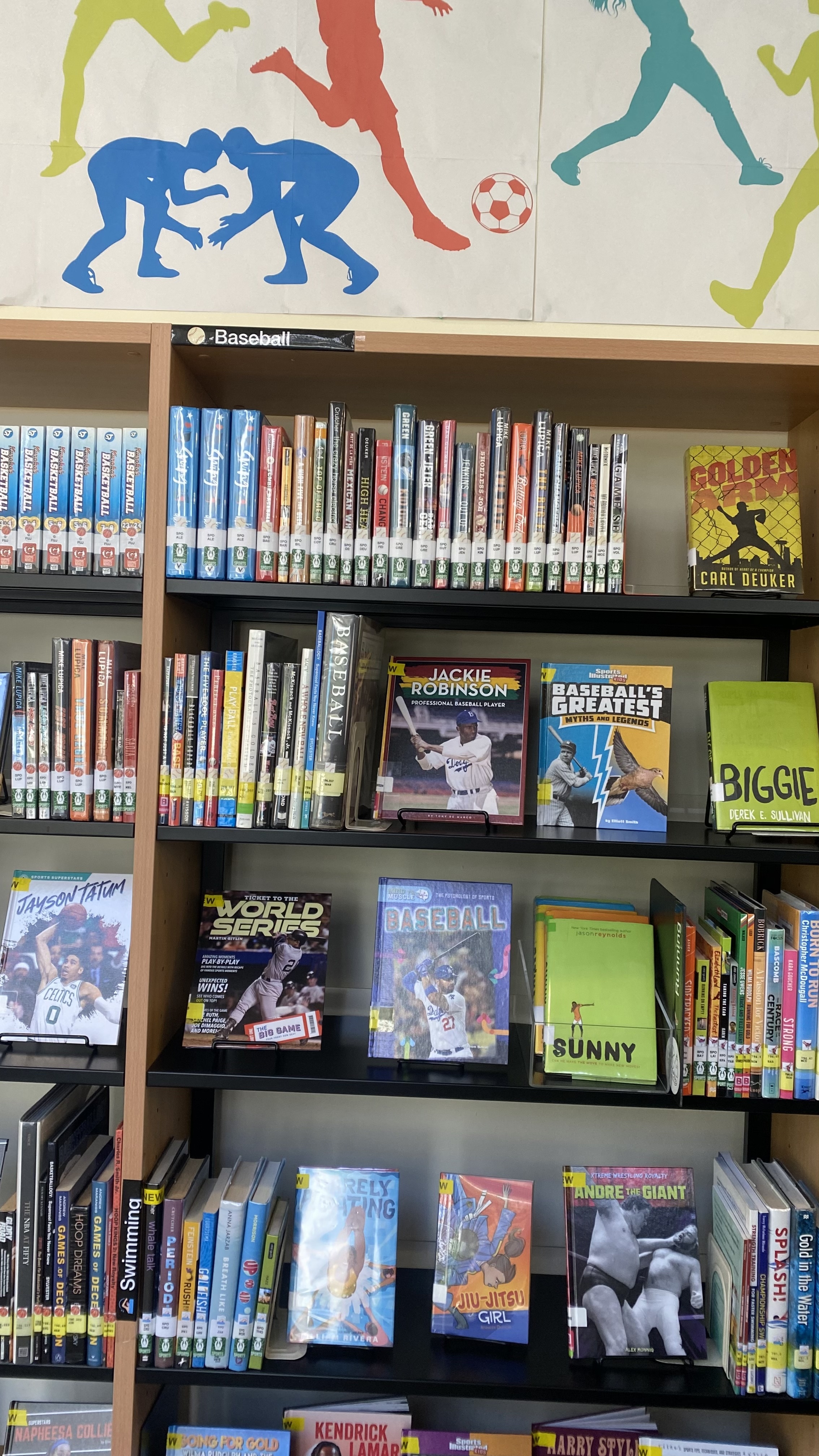
Since nonfiction, memoirs and biographies were upstairs and fiction sports downstairs it seemed logical to move them all to one place. So we trialed putting all our sports books together in a dedicated area. That meant pulling fiction, nonfiction, memoirs, biography, graphic novels and manga and sorting them by sport. Our poster was made in Canva in our library colours and is 3 panels representing the sports of our three sports seasons (template link). Our book spines have a small sticker of the sport represented to help with shelving.

We’ve probably doubled the circulation of our nonfiction sports books and it’s an area that garners a lot of attention. Unfortunately it is still really hard to find good fiction with sports themes. There are more good biographies and a small uptick in graphic novels and manga. Here are some of our best circulating titles.

Fiction

As you can see it’s heavily dominated by Jason Reynolds and Kwame Alexander. How I wish there were more authors writing shorter easy to ready and/or verse novels without naff babyish covers for this demographic!

  1. Ghost – Jason Reynolds
  2. The crossover – Kwame Alexander
  3. Booked – Kwame Alexander
  4. World in between : based on a true refugee story – Kenan Trebinčević
  5. Patina – Jason Reynolds
  6. Rebound Kwame Alexander
  7. Stanford Wong flunks big-time – Lisa Yee
  8. Defending champ – Mike Lupica
  9. Boy 21 – Matthew Quick
  10. Sunny – Jason Reynolds

Memoirs & Biographies

In particular the series by Matt and Tom Oldfield (from the playground to the pitch) and any of the Luca Caioli books are popular. And if you’re wondering who the GOAT is according to our students – Neymar and/or Ronaldo books outrank all the others.

Nonfiction

Anything soccer seems to dominate with basketball and F1 making an appearance. I was pleased to see one of my personal favourites – “The boys in the boat” tying with “The Barcelona complex” for 10th place as I’ve been promoting it heavily this year – I’m hoping the release of the movie will help it along as well.

  1. Stars of world soccer – Jökulsson Illugi
  2. The official history of the FIFA World Cup – FIFA World Football Museum
  3. Outcasts united : the story of a refugee soccer team that changed a town – Warren St. John
  4. THE FOOTBALL BOOK : the leagues, the teams, the tactics, the laws – David Goldblatt
  5. Return of the king : Lebron James, the Cleveland Cavaliers, and the greatest comeback in NBA history – Brian Windhorst
  6. The rise : Kobe Bryant and the pursuit of immortality – Mike Sielski
  7. All thirteen : the incredible cave rescue of the Thai boys’ soccer team – Christina Soontornvat
  8. F1 : the pinnacle : the pivotal events that made F1 the greatest motorsport series – Simon Arron
  9. The race of the century : the battle to break the four-minute mile – Neal Bascomb
  10. The Barcelona complex : Lionel Messi and the making–and unmaking–of the world’s greatest soccer club – Simon Kuper
  11. The boys in the boat : the true story of an American team’s epic journey to win gold at the 1936 Olympics – Daniel James Brown (we have both the YA and the original version)

What are we missing?

All the books by Mike Lupica / John Feinstein / John Coy are unfortunately showing their age now and are also very much written for an American rather than international audience.

We’ve had some more interest in cricket recently and just haven’t found enough books – fiction or nonfiction to meet that need. While there are more graphic novels coming up we need more of them.

If you have any great suggestions I’d love to hear them.

Are nonfiction books still relevant?

I was showing a fellow librarian around “my” new library today and we were chatting and discussing various aspects of middle school librarianship. We got to the nonfiction section and both sighed. I started that mine probably needed some significant weeding and that I’d made a start. I pointed out a few particularly nice books in the collection (Annick Press still does nonfiction well, the newish Theodore Gray Molecules and Reactions). But so much ages so badly and so quickly. And in an inquiry based system where one wants to encourage systems thinking and embrace the idea of interconnectivity it is almost anachronistic to maintain Dewey divisions and populate them with single topic books.

Gone are the days when teachers gave the librarian a content based topic and you could wheel a collection of books that covered the length and breadth of what there was to know at a specific grade level about that topic. Done and dusted. Now you’re not so much discussing WW1, so much as conflict, with WW1 as the bare-bones scaffold of the topic. There aren’t that many books that deal well with the nuances of conflict in an age appropriate, stimulating but accurate, culturally sensitive manner. One such book is Global Conflict, from the Children in our World series by Louise Spilsbury.  No, it probably isn’t written with 14 year olds in mind. And I had to offer it somewhat apologetically to one of the teachers and say I thought it actually covered the ground fairly well, and everything else on offer was probably pitched at a much too high level.

Besides which, students aren’t reading books anymore. The books I pulled out on WW1 for a display remained unread, un-borrowed. I dare not investigate too closely where they got their information for their assessment from, since, looking at the database statistics it wasn’t from databases either.

A month or so ago, I had a look at our “country” books – they ranged from 1999-2005. A lot has happened since 2005. So they had to go. But what to replace them with – if anything? I checked the curriculum, spoke to the lead of the one grade doing something on national cultures and offered a collection I’d made in Epic! that could cover it more or less. There are no students pouring over country books or atlases like perhaps we would have done. If they need information there’s wikipedia or facts on file.

All this time I’m reading “Reader Come Home” (it sure is taking a long time, but I’m distracted myself) and the issue of shallow reading and attention and focus and digital media. And I wouldn’t worry if it weren’t for the fact that the problem doesn’t seem to just be shallow reading, it seems to be a great divide between reading a lot, and not reading at all. I ran some statistics last night. Our top (G6) class read 4x as much as our bottom (G8) class (at least books from the library – to which everyone says “oh but they may be reading books at home – to which I say “evidence?”). But that’s not the problem – looking through numbers student by student so so many hadn’t borrowed even one book. I’m about to self-flagellate at this point and worry what I’m doing wrong. I need more data and then I need a strategy.

There’s no doubt quite a bit of the nonfiction must go – but what should I be replacing it with? Middle schoolers are just that little bit young to place popular nonfiction in – the Malcolm Gladwells and the like. What is everyone else doing?

Libguides: a couple of easy things (1)

Well, the response to my last post was quite surprising. So I’ll continue with a few posts on very easy things to change the look and feel of your guide.

First off though, please do consider joining the Springshare lounge – help is literally there for the asking, and no question is too basic.  You join a group based on your usage.

Secondly in response to what we use: Libguides CMS V2. If you’re on V1 still, update (free) to V2 as it offers so much more. We also have a paid subscription to LTFL (library things for libraries), we’ve just subscribed to their book display widget,  it’s an extra cost, but it’s for our 3 libraries at what I consider a reasonable cost, and they’re very generous on their trial period. Cost depends on how many of their services you use. If I had more budget I’d subscribe to their series and tagging services as well.

Finally – if you’re looking for non-video guidance on libguides, I’ve found the University Libguides to be the best, (Kent for HTML/CSS, Illinois for getting startedNorthwestern, Calgary, etc. )as they’re the most extensive and intensive users of Libguides, but I’d like to also give a shout out to RILINK schools, as their guide is also very comprehensive.

OK finally, a few easy things

Changing font size just for one guide:

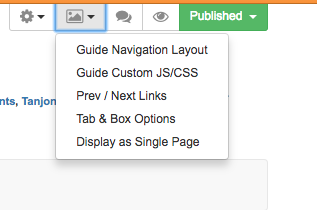
Screen Shot 2017-12-05 at 04.40.41

This is done by changing the “Guide Custom JS/CSS” which is found under the picture icon.

(note for beginners: I’ve placed the coding inbetween: /* text */ : so it doesn’t mess up my blog! you’ll need to remove that for it to work – i.e just copy from <style> to </style> if you want to include more than one element just include them all in-between the style and style elements)

How to make the font size bigger in your boxes:

Since some of my boxes do need text, I’ve made them 24 point so they’re easier to read for little ones.

Screen Shot 2017-12-05 at 04.54.38


/*

<style>

/* increases font size on box headers */
.s-lib-box .s-lib-box-title {font-size:24px;}


</style>

*/

How to make the font size bigger in your tabs:

Ditto for tabs – all these tabs are 18 point – also as good practise this forces you to keep the number of tabs under control and only on one line!

Screen Shot 2017-12-05 at 04.59.14


/*

<style>

/* increases font size on tabs*/
#s-lg-guide-tabs {font-size:18px; font-weight; normal;}

</style>

*/

How to make link description under link and bigger

These elements are all links (so I can get the stats), but I didn’t want the description to be tiny and at the side, and have a dot next to the image.

Screen Shot 2017-12-05 at 04.54.03

*/

<style>


/*link description center and bigger font*/
.s-lg-link-desc {font-size: 14px; font-weight: bold; text-align: center; display: block; margin-right: auto; margin-left: auto;}
.s-lg-tn {margin-left: 0px;}

</style>

*/

How to remove breadcrumbs

that’s all the stuff that makes your header look cluttered on the left you see the standard libguide with the blue breadcrumbs and all the tags etc, on the right the “clean” version with only the guide name and top banner:

*/

<style>

/* removes breadcrumbs */
#s-lib-bc{display: none;}

</style>

*/

That’s all I have time for now! Requests and questions welcome in the comments.

And please remember I didn’t invent any of this, most of it was the result of asking Springshare or in the lounge how to do something I envisaged. Their customer service and response is amazing.


How I built a libguide

aka I think I’d better think it out again …

Over the summer I completely rethought our school library libguides, and I’ve received quite a few positive comments and questions as to how I made the guides. Unfortunately there is not quick and easy answer, as the process resembles more closely this TED talk on building a toaster from scratch than a few lessons on embedding photos, files and links.  So a little warning that things may get a little geeky.

When I started building libguides at UWCSEA-East nearly 5 years ago, I really had very little idea what I was doing.  Content wise I was OK – I’d interview the teacher or head of department who wanted the guide, or Katie Day would tell me what she had in mind, and off I’d go finding interesting bits and bobs, do some extensive research and put them in a guide in some kind of logical flow and predictability.  We started with making IB subject guides, really something to help students think about and around their subject and to perhaps pique interest in an area for their Extended Essays. Then teachers would ask to expand on a specific area (like development economics).  Anyway, when I left to take up a position in a PYP library at CIS, I resurrected our libguides and continued in the same line with the thought of uniting our digital and physical resources. Except primary and secondary are two very different ballgames. Aside from the obvious content issues – videos and links need to be age appropriate, the way that younger students access web-based information is very different to older students.  And so my journey began.

During the LKSW at UWCSEA-East last February I attended a workshop by Brad Tyrell of Scotch College. Now Scotch probably has the most awesome looking libguides around.  They also have a team of developers and designers and IT-type specialists and vastly more staff than most libraries could dream of.  So let’s say they’re the Koenigsegg CCXR Trevita, and up to then I’d been the Tata Nano, I reckoned there had to be a way I could get to at least a Toyota level, or maybe a basic Tesla.

Unfortunately that workshop was a little too basic, but I did learn a few tips and tricks, including to watch out to use items that were counted statistically (books, links, databases) rather than just RTF and images, so you could have an idea of what people were finding useful / using and what not. There were also good hints on workflow and guide organisation.  After the workshop I jazzed up my homepage and it looked like this:

Old libguide

While it was colourful, and to my mind logical and easy to access all the bits and pieces (plus each box was a link rather than rtf, so I could track where users were going), the overwhelming response from students when I and teachers asked for feedback at the end of the term was that there were “too many words”.

This is a common refrain in schools about just about anything with words – from websites to encyclopaedias, to books and beyond. In fact my teenage son introduced me to the concept of TL.DR (too long, didn’t read) along with a chrome extension to take away the grief of wordiness.

Luckily it was just in time for summer break and I had plenty of time on my hands to dig into this.

As I’m no longer a child, and fully, if not hyper- literate,  I needed to understand a bit more about children and websites. There were more than enough articles on this, with this one from Canva the most useful. Conclusion after a few day’s reading was basically to go bright, use images and icons and moving and clickable things.

The next step was to brush up on some HTML and CSS. I’d previously run through some tutorials of W3Schools that were really good, and in fact used their scratch pads to do the limited coding I’d needed for the previous libguides. But I needed to think not just coding, but coding and kids. So I did a basic course for kids, kind of because I thought I’d need to think like a kid.  It actually was a brilliant way of seeing the relationship between HTML and CSS in a very tangible way.

Next up was looking through lots of Libguides. Luckily Springshare, the purveyor of Libguides is excellent at sharing information and customer service, as are most of the librarians who use Libguides – making their guides (most of the 550k) open to access and copy and use. They have a collection of their “Springypicks“. I saw one I rather liked, the Mary Baldwin university library, but couldn’t figure out what they were doing. So I reached out to their librarians, and Anya Jones was online at the time and wonderful enough to do a google video-chat with me, to point me in the right direction of the knowledge I was missing to go further. How important knowing what you don’t know can be!

So it was back to the learning site, and off to SpringyCamp. SpringyCamp is this awesome online learning platform provided by Springshare free of charge whereby at certain times you sign up for whatever course at whatever level you’re at and they show you how to do stuff. Since I was in Europe there was only a 6 hour time difference rather than they usual 12 hour night and day problem so I could attend one live. The best part is if things went too fast, or you’re in the wrong time-zone you can watch the videos afterwards. A tip in this regard – I usually watch the video on my iPad while “doing” the stuff on my laptop – this means I can pause, try out, rewind, retry etc. otherwise it’s in one ear and out the other by the time I try to implement anything.

Then I discovered how primitive and naive I’d been, and moved one step closer by downloading a web-text editor (in this case Atom) that made my life infinitely easier. (Ok, I was really starting from zero, so don’t laugh).  The most useful course I followed on the Springshare Video site was CMS Libguide / CSS.

Since it was vacation, I had the luxury of two teenagers at my disposal, and although they are way past primary age, they could critique what I was doing, and my daughter was put to work helping me select icons (mainly  flat iron and envato) to purchase, or to make icons by adapting graphics from noun-project (like the ones she made for the PYP site). This helped me through a short-cut not have to add yet another tool into my kit – learning adobe illustrator.

The last bit involved using LibraryThings for Libraries book display widget to have scrolling book covers. Luckily this was something I’ve used before, so it was just a case of uploading our most recent Marc records and creating separate widgets for new books (front page) and the various other pages and familiarising myself with their upgraded version.

Once you have all the tools and skills at hand, there is of course a fairly long process of trial and error and planning as to how to put it all together, some of that just plain old pen and paper. And even then you keep tweaking things as it doesn’t quite gel or look like you’d like it to.

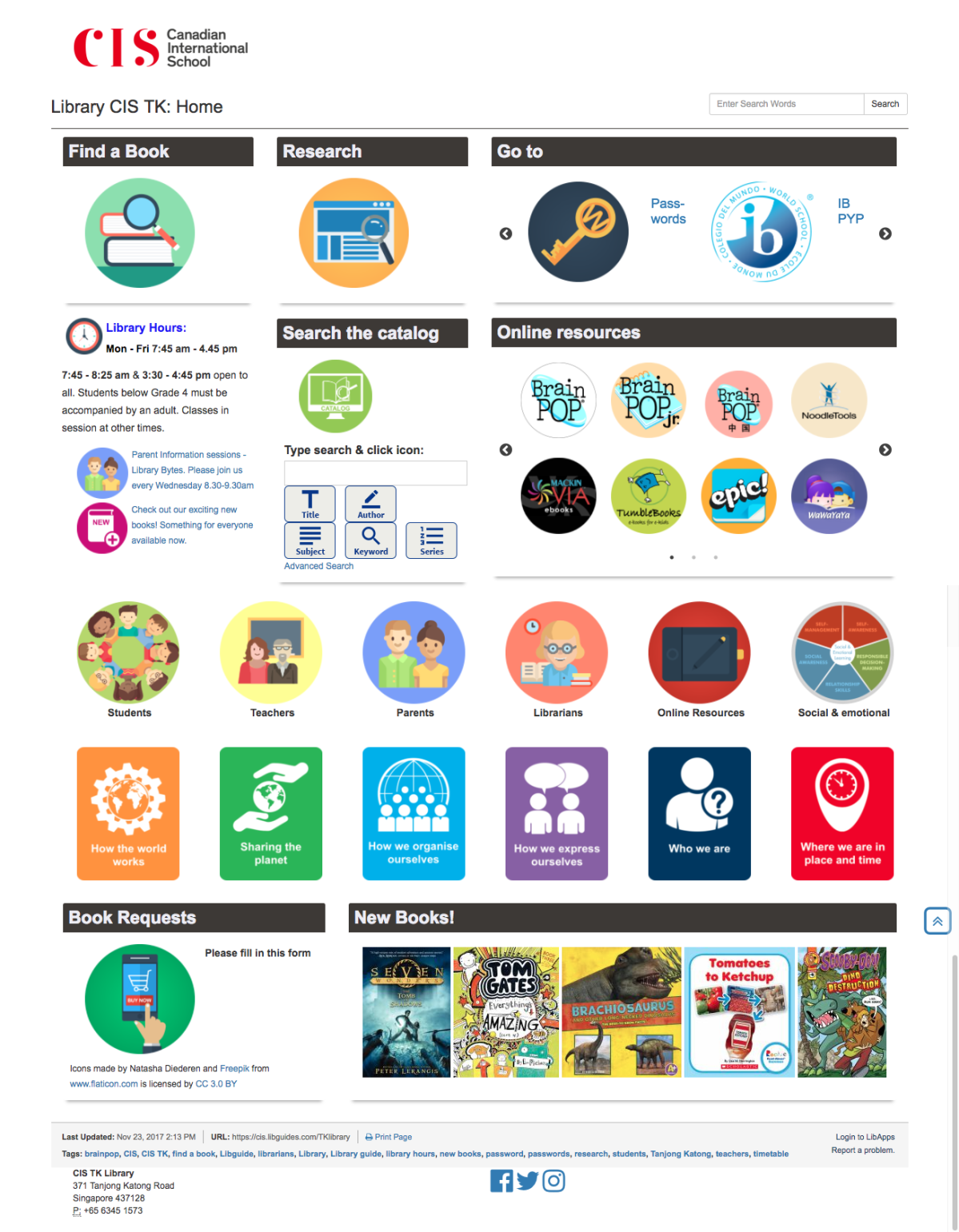
Here is the end result for the home page:

TK library front page


Of course changing one thing means you really need to change everything, because you’ve set new standards for the way things have to be.  This is time consuming, but you also have the advantage that it gives you lots of practise, so you don’t forget what you’ve just learnt. I also revamped all the UOI guides as they’re the most frequently used, and

G6 HTWW


I’m moving my way through other guides. And they’re not perfect, every time I look at one I need to change a bit more. As we move towards new unit’s I’m updating the old guides so that the look and feel is the same, that the same elements can be found in the same places, and responding to student and teacher feedback. Some guides are a lot longer with more information on them – depending mainly on how intensively they’re used by the teacher, and some are more perfunctory – basically just a minimal presence because they’re not used / valued as much. That’s fine by me.

When I tell people who ask that I do libguides inbetween everything else, often in 10 minute chunks of time it is completely true. I don’t have a lot of time for this, which is why I do set-up and brain work in vacation time, so during term time is just filling work.

The next phase of the process has been to do some staff development so that my staff can take over the maintenance of sites. For example every time we have a new batch of books, they scan the ISBN’s into the “new books” LTFL widget, delete the previous list and my front page is automatically updated. While I was waiting for a new Chinese assistant, I also roped a bunch of Chinese speaking mothers (see my point on 10% in my last blog – one of them has a degree in Chinese literature) to read through all my Chinese picture books and put them into resource lists based on the PYP essential elements. These could then be linked to the PYP guide.

As a school with bilingual classes we have an increased responsibility in the library to ensure there is equity in the provision of help and resources to our Chinese classes. This is easier said than done. My new Chinese speaking assistant has been tasked with a more extensive involvement, including creating the Chinese Guides, as that is not something my limited Chinese extends to. The great thing is that they actually love this work, finding it more creative and fun than the check-in/check-out and shelving tasks that is their usual daily fare. pyp concepts

The next next phase for me is student curation. We’ve done a little of that, for example by asking G6 students to recommend the 3 best sources of information during their exhibition project.   Last year we also started experimenting with Flipboard for the curation of articles by G5 & 6 students and teachers, and then embedding the Flipboard into the guide . We could do a lot more in that respect, but we’re being cautious with articles vetted by teachers or myself before being added.

Of course 4 months later I’m not entirely satisfied with everything. There is still a lot of work to be done on consistency and getting older guides up to standard. I need to work out a better process of guide building and handover. And after chatting to Kim Beeman at Tanglin, who is redoing her guides – albeit with a good number of dedicated qualified design and technical staff, I know I need to delve into UX.  She’s recommended a couple of web accessibility evaluation tools such as mouseflow, WAVE, and crazyegg. But that will have to wait for the Christmas break, as this is just a small part of my job!


Scheduling – priorities and dissonance

New year, new chances, old problems. The perennial one of scheduling library time. I kind of started commenting on people’s posts and questions on FaceBook and then decided it merited a blog post on its own. There is also a whole discussion on libraries and librarians going at the IBO level where priorities, recognition, roles, responsibilities etc. are also being hashed out. But coming from a corporate background and not an educational one, I sometimes can’t help seeing things a bit differently.

One of the most useful courses I followed during my librarian studies was “Designing spaces for learning”. And spaces weren’t just physical spaces, or even physical and online spaces, it includes temporal space – as I wrote about here  and design thinking. The thing is that time is the great leveller. We all have 24 hours of it a day, but what we choose to do with it is telling, because it will determine who we are as librarians and display our priorities more strongly than just about anything else we do.  I could even put money on the fact that if you walked into a school where there was a troubling relationship between the librarian and staff / admin and you asked to see the library timetable it could be used as both a diagnostic tool and a cure.

So I’ll begin this post by giving a shout-out to my principal who gives me the autonomy necessary to both think all this out and then to discuss it with her and implement it. She also gives me the support I need when things are not working optimally, if I’m reasonable in my requests and it supports student learning.  My PYP coordinators who are allowing me to be their educational partners also makes things a lot easier. And the school I’m at that generously allows for 3 support staff members in the library in their HR budget to open up time for me to be doing higher order teacher-librarian things rather than processing and circulating books. Now apologies for a barrage of management-type speak and jargon, please bear with me.

In library scheduling there are two main schools of thought, primarily defined as fixed scheduling (you set up a schedule each year / term, and every class gets their time to go to the library at that designated time) and flexible scheduling (the librarian’s time is bookable, on demand). Each have their benefits and drawbacks – with fixed you get to see everyone regularly, but in a large school you have no time left, or go on a two / three week schedule. With flexible you run the risk of never ever seeing some kids depending on the teacher’s ideas of the library, priorities etc. Most larger schools where the ratio of librarian to students is low (e.g. 1 librarian to 1500 students) opt for a flexible schedule. Our ratio is 1:630 with 34 classes so theoretically a fixed schedule can work, and I’ve tried to build some flex into it otherwise I’d never do the things that differentiate me from what a teacher or library assistant can do.

Priorities

The first part of the process is to decide what your priorities are. Now in education this is way harder than in corporate life, since often many of your priorities are set for you. It also took me a little while to get the experience and confidence to actually realise what my priorities should be and to advocate for them.  And also to decide what my priorities shouldn’t be and to draw a line in the sand.  Part of your priorities are governed by your school’s mission and value statement. Part is about your integrity to yourself as a professional (teacher) librarian and part is about the resources physical and financial your school has.

My personal priority statement is “I am about literacy“. So everything that has to do with any of the literacies (alphabetic, informational, numerical, multi-lingual and to a certain extent digital) I will prioritise.  I steer clear of discussions on makerspaces for that reason, partly because we have a dedicated STEAM department, and partly because if it has nothing to do with creating some form of reading, writing or research I consider it outside of my ambit. OK, shoot me, but you have to draw the line somewhere or you’ll have to compromise on something else, or just never stop working 24 hours a day.

The next thing is to think about how you are going to integrate yourself into teaching and learning in a collaborative way. There are two frequent laments heard in this regard “I don’t have time for meetings” and “I don’t get invited to meetings” – and here is where a supportive principal comes in. The very first thing that went into my timetable this year were the days and times for co-planning for each grade. It’s taken 2 years to get to this point and I only need / want to go to the meetings once a unit – usually a week or so before the unit starts so I’m involved in hearing where the team wants to go with the unit, what digital and physical resources they need and how I can meaningfully integrate information literacy or other ATL skills into the unit. I also only need to be there for about 10-20 minutes depending on whether it’s an old or new unit. So what about the other 4/5 weeks? Well I’m using the time to DO what the team needs. And if I’m teaching in that time, I can’t be doing. Doing includes making library guides (that’s how I have time for them), curating resources, ordering new resources, weeding old resources. Although I am not considered a HOD, my principal also kindly invites me to the weekly lead meetings so I know what is going on and coming up, and can involve the library in any way that is meaningful.

Then comes the fixed part, which fulfils my literacy priority. Since I do have a manageable ratio / number of students / classes, I have a fixed part of my schedule whereby each student gets to come to the library once a week. How has this been engineered? By chunking time and students. 40 lesson periods and 34 classes would mean no time for co-planning, co-teaching, own planning let alone the library facility management stuff. So, based on the advice of my predecessor and in the face of intense resistance from teachers, the timetable was split into 20 minute library times from G4 and under and kept at 40 minute sessions for G5 & 6. The compromise for lower level teachers is they can pair up with another teacher in the same grade had have 40 minutes with 2 classes. It’s not my preference, but they may choose this.  I do this because I want to see every single child every single week and make sure that I am helping them with free voluntary reading.  In Krashen’s (2004) words ” evidence from several areas continues to show that those who do more recreational reading show better development in reading, writing, grammar and vocabulary, These results hold for first and second language acquisition, and for children and adults. ”  I am an unabashed book pusher. I do everything I can to put books in the hands of children that they want to read. And to do that I need to see them and I need to know them. Especially the ones that will only come to the library that once a week.

Yes you can do a library lesson in 20 minutes, if you have staff who can do the check-in / check-out and shelving while you’re doing the reading, the mini-lesson and the reader-advisory, and if your teachers are in the library helping. Yes I do get that much support from my school and I’m very grateful for it.

Another small note on this section – switching costs nearly killed me in my first year. I was doing a G1 class then a G6 class then a G3 class then Kindergarten jumping around day in and day out. So I asked teachers to try and schedule in the library so that all the classes in a grade (or 2 grades, depending on number of classes) were on the same day. It worked last year and we kept it up this year – it was actually easier timetabling that way – constraints work. There were only 2 exceptions where the larger school timetable and teacher preps meant that I’m taking a class to help them out on a day different to the rest of the grade. That’s not bad going.

My next priority is multi-lingual literacy. Actually part of it comes in the fixed part. We are a bilingual English/Chinese school. I am the parent of two bilingual children. A child is NOT bilingual unless they are bi-literate. I will not compromise on that. I faced fierce opposition from parents complaining via teachers when I insisted that every child in the bilingual program had to take home a book in each of the languages irrespective of their ability to read in that language at that point*. I am very uncompromising on some things and this is one of them. At home, I have two bilingual teenagers, one in Chinese, one in Dutch who are still doing their languages as a first language only because I am uncompromising on the fact bilingual has to be bi-literate otherwise you are fooling yourself. And bi-literate means reading and writing. The classes that have “first dibs” on the library timetable are the bilingual teachers. One of my library assistants has to be fluent in Chinese and able to read aloud to my students and help me curate chinese resources.

So those are the bilingual classes. We also have ELL (English Language Learners) and students doing French as a second language. Their teachers also have (and take) the opportunity to bring their students into the library (or the library classroom where my world language resides) with their students every week. Language can just not be taught in isolation from books and reading.

The learning eco-system priority. Teaching and learning does not occur in a vacuum. Children are part of a family, a linguistic community, a social community, a cultural community. At the primary level, besides teachers,  parents are my best allies in my literacy goals for my students. So they get two periods once a week for library information sessions, for time to drop in for some reader advisory, for meetings the school needs to hold in my space for them.  I am a neutral zone. I am there to help them realise their goals for their family.

Then there is my co-teaching / information literacy teaching priority. I’m listing this last just because it’s last in the process, not because it’s last in priority. Doing all the above, specifically the 20 minute slots with the younger kids gives me 8 x 40 minute periods where I can make myself available for whatever lessons my teachers would like me to teach in the library or in the classroom. These are not used every week, but now that we’re integrated the research ATL into units they will be used far more.

My library facility priority, means I’ve blocked off 2 periods for inter-campus meetings, either by google-hangout or face2face with my fellow librarians and with my own staff.

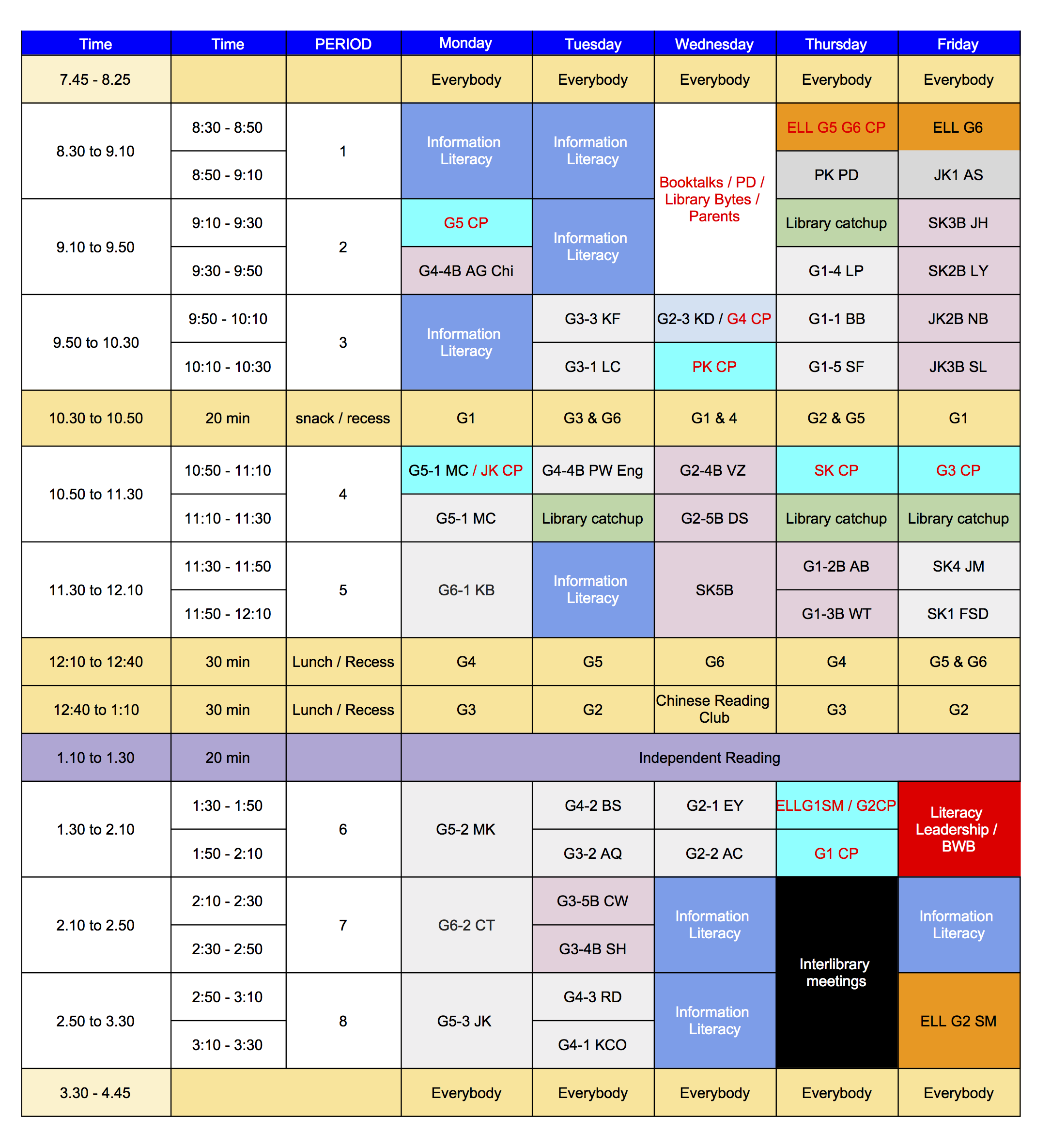
These are my priorities and how I’ve structured my temporal space to accommodate them (see below). I’m in primary school – people in MS or HS may have other priorities and concerns. People in larger or smaller schools will have other issues. But the bottom line is your priorities need to be worked out (it’s taken me 2 years to get here and to articulate them), and reflected in your timetable. And you need to articulate them well so that if necessary you can argue your case with whoever is getting in the way of allowing you to reflect them in your timetable.  Things may and probably will change, but that’s it for now.

library timetable 2017:8

As a closing note – another part of the IBO library/librarian discussion was about the “super-librarian” archetype. I don’t want to be a super librarian. I want to be a great librarian. When Clark Kent is busy being superman, he neglects being Clark Kent. We cannot afford to be super-librarians because super librarians can and do burn out. And while everyone around this type of librarian says how super-librarianish they are, I don’t think they get the recognition they really deserve as librarians. And their successors have big shoes to fill, but not necessarily the right shoes to fill.


* Why do I insist on this? Often they can’t read the book, sometimes/ often their parents can’t read the book. Because they can’t read the book YET. Just like my kindergarten and pre-kindergarten children take home books they can’t read, so too my English / French / Dutch speaking kids take home Chinese books because the assumption has to be that they WILL be able to read those books. Otherwise get out of the bilingual program. Seriously. What do we do with mono-lingual kids who can’t read? We read to them. What if we can’t read? We sit and page through the books with them and we ask them to explain the pictures to us.  We ask them to point out the words they do recognise. We ask them to point out the letters they recognise.


Storage, seating and signage

I’ve been meaning to write this for the longest time – after the library renovation / redesign what is working and what isn’t. For the history have a look under make-over or library design posts and categories.

I was prompted to write this really due to three main questions that have been floating around the Facebook librarian groups that I’m a member of. The questions of storage, seating and signage.

Storage:

There was a question this morning about an administrator who expected the new school library to have no storage except a desk with two drawers …


Screen Shot 2017-08-12 at 4.00.04 PM

Now I’ve never seen this in a library, BUT when I went for a tour of the Lego regional hub in Singapore where each employee is give a 30cm2 cubby for all personal things and for the rest

IMG_3268

of the time they just hot-desk it. Any desk left unoccupied for more than 30 minutes gets its stuff removed! It did look very sleek, but sounded like something that would be pretty hard to adapt to.

I did try in our library to have the ability to hide the things that don’t need to be seen, while ensure that my staff and I still had a workable situation given the fact that a lot of what happens in libraries is about processing and storage!

First off the circulation desk. This is one of the prime examples of something that looks good but isn’t very functional. It’s a case where design won over best practice according to the literature and best instinct according to what was logical. But it looks nice. Says everyone who sees it.

It’s circular. It looks nice. But one of the first things they warn you against in library design 101 as it’s not very practical. And on the right side, instead of having the circle go to the wall I insisted out of health and safety concerns (we’re a primary library) that we could “get out” to attend to the “floor” very quickly. So it had to be open on both sides. So that means we lost about 50cm on the side. Which meant that the 3 chairs are pretty squishy next to each other. Which is good and bad – good because it means that it’s not really comfortable so you’re kind of forced to be up and moving and on the floor and doing people/book type things. Not so good because when 3 of you need to be there for a big class or year end check ins, there just is not enough space.

And the drawers. They don’t all open at once, so it’s a case of “you first, no you first” – luckily my ladies have a sense of humour and get on with each other.

We have some good processing space at the back, with a sliding surface that pops out to create extra space when you need it. That’s handy.

Cupboard storage

I had all those boxes of literature circle multiple copy books in my room and I didn’t want them in a space that students and teachers didn’t consider to be public. But we didn’t want boxes and boxes cluttering the space. some of the nicer spaces I saw had used sliding doors with writable surfaces in their classes or libraries, so we used that idea. The top and right photos is the storage with and without doors.  What you can’t see in the photo is that the projector screen comes down in front of the cupboards during presentations and the doors can be shifted to the sides for writing on while projecting. The bottom photo the sliding cabinets where all the PM readers are kept in a side class.

Good and bad of this – I love the fact that it looks so neat. But the doors have a habit of “jumping” their tracks and since the writeable surface is glass I’m nervous of kids opening it without an adult around. Also the glass surface can only be written on in black or dark blue – other colours don’t show up.

Seating

Way back in the day all I wanted was better seating where the chairs legs didn’t stick out with everyone tripping over them all the time (top left photo). Then I got a complete renovation and someone (not me) left the seating out of the budget. Then I got the budget and my seating! Yay!

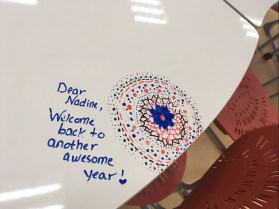
I must admit I really love my Furnware chairs and tables. My students love them too and my teachers are just a little big jealous of them – but they’re still sweet enough to leave me nice notes

img_5927.jpg

on the writeable surface! The chairs are quite heavy, but stackable and the “rocky” children love the fact that they can wiggle without falling over backward.

The beanbags are a mixed bag. Another no-no if you ask librarians, but on the balance I’d say I’m glad we have them. We have 12, and so far only one has had an issue with a zip, and that’s been repairable. My students were warned that if they “died” an unnatural death due to abuse they wouldn’t be replaced and they’ve been fairly good about policing each other about the usage. They’re super light and moveable, and it’s lovely to see how the students create their own spaces either sociable or isolated by the positioning of themselves relative to the bag and other bags and people.

We have 2 of the green armchairs, which are good for adult sized people and a couch in the classroom. Since it’s a primary school though – they also spend a lot of time sprawled out on the floor or on the mats. (Don’t you love the sense of humour – some of my kids left Bear reading a book after recess one day).

There is of course a lot of dragging bag back into place after recess ready for class, and I really need some kind of solution for my side classroom as it’s not ideal, but I need time to think about it and live in it more first.

Signage

We went with Merchandising Libraries for our signage and on a whole I’m quite pleased with how it turned out. We used their shelf-talkers, fiction section dividers and junior section dividers. We used plain black with white to go with our corporate look and feel. for the “inbetween” bits I use old VCR holders and print out the signage black background, white lettering. Cheap and good looking.

I had to order in a hurry to have it ready, and order everything at once and I only had the catalog rather than physical objects to go by.  This is what it looks like:

If I had to do it over, I’d stay with the Junior section dividers and the alphabet for my fiction sections but another solution for the picture books and junior section as the A-Z tends to stick out too much for little people with a poor sense of  proprioception. I also regret the fact that I don’t really have a good place to signal dewey. I’m still thinking about hanging something from the ceiling, but I hated that when I first arrived, so I’m going to have to think some more.

Part of signage is display space, and I’m really happy with that. The thin slats at the door and space above allow really flexible displays of books and student work.  And I love my pillar disguising round display space. Yes the variable signage above the slats could be better than just print outs on paper – ideas?

Next project – well, my children’s orthodontist had THIS in his surgery – talking to our open-minds coordinator about doing something similar when our G2’s have their plants unit …


Reduce, reuse, recycle and repurpose

One of the advantages of being on a tight budget with constraints, as I’ve written about before, is that it forces one into being thrifty and eco-conscious.  I just wanted to say a few words here about ways in which we managed to employ the 4R’s in our library renovation.

Library shelving is very very expensive. And there is a reason for this – it has to withstand a lot of wear and tear, be constantly shifted around and then

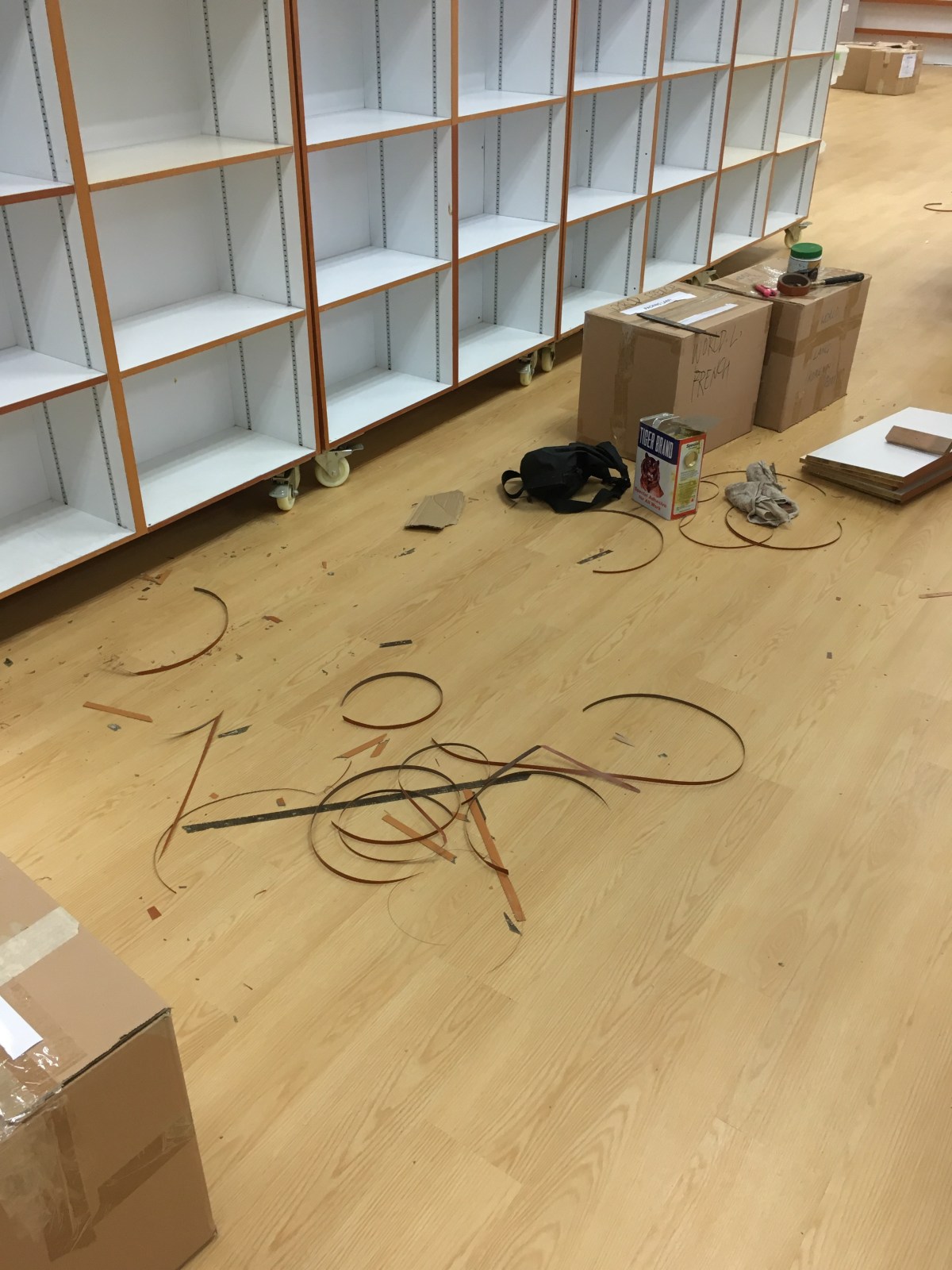
there is the question of load bearing (something our designers didn’t always take into account). Bottom line, we basically had to make do with most of the shelving we already had, and reuse it.  Not all of it was in great condition. So as part of the design brief we asked the contractor to refurbish the broken bits by re-lamination. Unfortunately this is not a very ‘sexy’ part of a renovation project, and we’re still chasing up on bits and pieces that need to be done! Most of it is looking pretty good though.

The green chairs were donated to us from our other campus, and the black shelving, and some other shelving that didn’t fit into the new design were donated by us to other classrooms and campus areas that needed it.

Other little things – our “fiction” etc. signs had a green border that looked out of place with the rebranding, so we just got some black electrical tape and taped over the green, so it looks black now. The non-glass doors got a new layer of paint, and larger glass pane windows.

The shelving above that used to hold picture books now is part of the junior section (I wanted more front facing space for our early chapter books to make them more enticing) so we inserted an extra shelf to each row to accommodate smaller books and the boxes in series.  One of our trolleys got donated to the IT department and the oldest saddest one got a new lick of paint in the same grey colour of our doors (part of the new branding) and looks just great now! The red plastic baskets found a new home in a classroom and was replaced by a wicker basket while we wait for the drop box to be completed. All our weeded books went to the PTA for their second-hand sale. And our old VCR boxes are still in use as alphabet markers in smaller collections – like Chinese fiction.

At the end of the day, besides the old tile carpeting in fact, very little ended up in the scrap heap. In fact many people when they come in have to ask what is actually new, because while everything looks new and different and lighter, they still recognise bits and pieces from the past.  I don’t think that’s a bad thing.


Firmware (& Software)

Planning for a library expansion and renovation involves considerable time, thought and work on the “hardware” of the physical building. Including last week’s work of packing up the books and getting them put into storage. I’d blogged a little about how just prior to that we’d done a lot of weeding, and sorting out patron data on our system, as somehow the physical sorting out led to a drive for digital sort out and housekeeping.

I’ve been promising for a while that I’ll talk a little about the “digital” side of the library, but first I’d like to talk about what I’d refer to as “Firmware”

screen-shot-2016-12-04-at-9-58-00-am

A characteristic of most international schools is the transience of its students, and often teaching staff. Naturally this includes the library.  In my current position I’m aware of the fact that I’m just one in a long line of librarians who have come and gone. I’m also extremely grateful to our permanent library staff, who keep things ticking over as teacher librarians come and go, each trying to put their mark on the physical and teaching environment.  They have institutional knowledge. They know what has been tried and worked or failed, and a pretty good idea of why.  I admire their unrelenting politeness and helpfulness as they cope with the latest “new broom” .

When you speak to other librarians, inevitably the conversation will come around to the fact that they’d like their staff to take more initiative, or upgrade their skills beyond shelving and circulation and basic queries.  But that is harder to realise than one would think. There appears to be a reluctance that sometimes is hard to fathom.  Some librarians have taken great initiatives in this direction – like the KL librarians under Robert George with their JAWs (Job Alike Workshop), and more recently the similar sessions initiated by Barb Reid in Singapore.  The problem with any professional development at any level is that there needs to be a compelling reason to take the learning and put it into action as soon as possible. But invariably the day-to-day tasks take over and there just isn’t enough space between relentless shelving and picking books for the next (18) Units to get the practise …

However in the last month, we’ve had to challenge the “read-only” part of the definition to its limits, with one staff member on maternity leave and the other on hospitalisation leave, and as a result, that once in a blue moon occurrence – a “firmware update” has become the new norm. So suddenly business as usual hasn’t been usual, and everyone has had to do everything all the time, with a lot of compromise and cobbling things together as we go along.  We haven’t had the luxury of designated tasks and roles, and suddenly we are all cataloguers, and weeders, and resource list creators.

I’d set aside a week for packing up the library. But I’d not calculated on the energy and enthusiasm of my staff and the maintenance staff, and the help of our Grade 5 students who made a “book train” from the library upstairs, so by the end of Tuesday we were pretty much done (and not dusted – boy oh boy, did we discover dirt and dust…). So I declared Wednesday to be systems and PD day, kept back 3 tables and chairs and we sat down and I taught everyone how to use Libguides.   We probably only spent about two hours on learning the basics, and that’s really all that is needed, because with everything it’s not about the theory it’s about using it.   Then back to some more boring stuff, getting images onto books in the collection.

And then more important, but still a little bit tedious – especially if you’re using Follett – checking through resource lists and updating visual search for all the UOIs.   Oh gosh, I’m embarrassed to say how many links were old or incorrect.

Next up was making resource lists for all the books related to all the countries our students came from. For Uniting Nations day I had made a cursory start by grouping books into continents as it was a “quick and dirty” way of getting lists out there for our “read around the world” challenge.  Now I wanted to dig deeper, so I took the list of all the student nationalities and we divided it up and started searching and added. We quickly saw the countries that were under-represented, or not even represented at all – books from / about Bulgaria anyone?

I also spent the better part of a day sorting out and adding books related to Social and Emotional Learning  based on the handout of Dr. Myra Bacsal after her talk. It also entailed adding nearly US$2,000 worth of books to a “to purchase” list, as I realised that while we did have many of the books recommended, we were also lacking in a few – and particularly in more diverse and more recent books.

Our final day in the library, around rapidly diminishing furniture – including at one point our desks, was spent putting the libguide PD into practice, as the 3 of us sat with a list of all units, all guides made and guides to be made and started putting libguides together!

screen-shot-2016-12-04-at-10-36-11-am

The previous day while my staff was helping their colleagues at our other campus, I’d been sitting with the librarians, helping them extend their knowledge of libguides, and us brainstorming ways of presenting physical and digital resources in the guides in such a way that it was easy to navigate and would ensure that students could benefit from knowing what books we had and also how to access other QUALITY resources (i.e. not just google) that we were paying for but were perhaps not being well utilized.

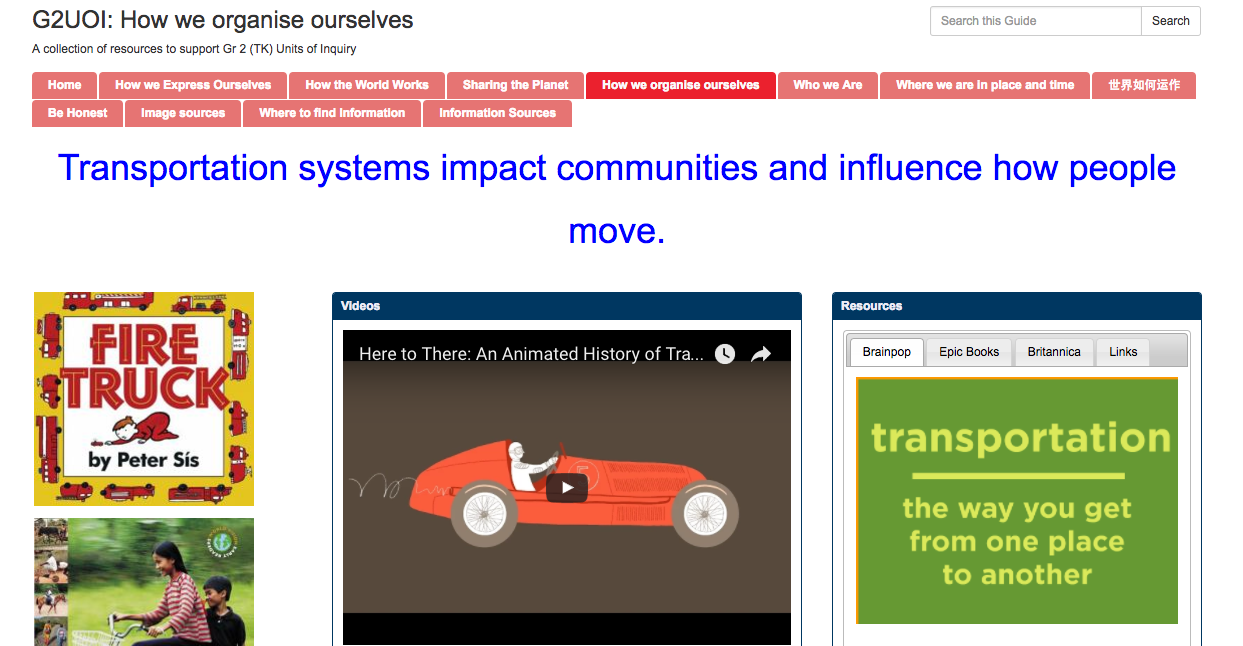
We decided on

  • having the central idea at the top in a floating box
  • on the left – having a scrolling bookshelf of our unit books – using the Library Thing for Libraries book display unit. That way teachers and students could see all available books in a unit, even if they were distributed in a different classroom – and clicking on the link would take them to the book in the catalog – AND if they looked at the subject headings under Explore! would hopefully have a Webpath Express link to click on.
  • Putting some videos in the middle for our more visual / video liking students – also very handy for our ELL students with the paired speaking / images.
  • On the right having a tabbed box that could alternate between Brainpop (a staple in primary), Epic Books (easy to access and great free selection of nonfiction books for easy projection & assignment in class), Britannica (because Encyclopedia) and other links.

screen-shot-2016-12-04-at-10-40-52-am

screen-shot-2016-12-04-at-10-48-31-am

Of course nothing is simple – and even now as I look over the units, I see that some units have the UOI books around the central idea and inquiry in them and some have that plus what-ever literacy / math connection is being made (so more than half of the books are poetry for example). In the medium term all that needs to be straightened out and sorted out as well.

Also before you can add a scrolling list of books, you need a list of books … and to know how to get the books into Library things, and then into a book display widget – so I made a little screencast on how to do that!

The wonderful thing about all of this is the obvious enjoyment and pride that my staff got out of researching units and finding resources and adding them to a guide – they kept on saying “this is so interesting”, and “this is so creative”.  Of course it is not a “quick” thing, I’d say on average a very basic guide at primary level that is reasonably complete will take around 3 to 4 hours. And then one just has to hope that the units don’t change every year!

All in all, and incredibly productive week, and also my staff finally “gets” the fact that my drive for automating student update and photo import etc. etc. is not to put them out of a job, but to free them up to do more interesting and meaningful work.  After we talked about that, one staff member said “and now to automate the shelving!” amen to that!