aka I think I’d better think it out again …
Over the summer I completely rethought our school library libguides, and I’ve received quite a few positive comments and questions as to how I made the guides. Unfortunately there is not quick and easy answer, as the process resembles more closely this TED talk on building a toaster from scratch than a few lessons on embedding photos, files and links. So a little warning that things may get a little geeky.
When I started building libguides at UWCSEA-East nearly 5 years ago, I really had very little idea what I was doing. Content wise I was OK – I’d interview the teacher or head of department who wanted the guide, or Katie Day would tell me what she had in mind, and off I’d go finding interesting bits and bobs, do some extensive research and put them in a guide in some kind of logical flow and predictability. We started with making IB subject guides, really something to help students think about and around their subject and to perhaps pique interest in an area for their Extended Essays. Then teachers would ask to expand on a specific area (like development economics). Anyway, when I left to take up a position in a PYP library at CIS, I resurrected our libguides and continued in the same line with the thought of uniting our digital and physical resources. Except primary and secondary are two very different ballgames. Aside from the obvious content issues – videos and links need to be age appropriate, the way that younger students access web-based information is very different to older students. And so my journey began.
During the LKSW at UWCSEA-East last February I attended a workshop by Brad Tyrell of Scotch College. Now Scotch probably has the most awesome looking libguides around. They also have a team of developers and designers and IT-type specialists and vastly more staff than most libraries could dream of. So let’s say they’re the Koenigsegg CCXR Trevita, and up to then I’d been the Tata Nano, I reckoned there had to be a way I could get to at least a Toyota level, or maybe a basic Tesla.
Unfortunately that workshop was a little too basic, but I did learn a few tips and tricks, including to watch out to use items that were counted statistically (books, links, databases) rather than just RTF and images, so you could have an idea of what people were finding useful / using and what not. There were also good hints on workflow and guide organisation. After the workshop I jazzed up my homepage and it looked like this:
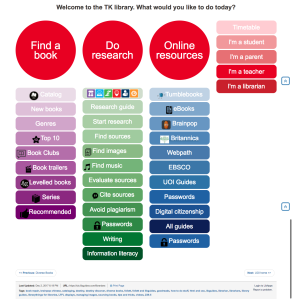
While it was colourful, and to my mind logical and easy to access all the bits and pieces (plus each box was a link rather than rtf, so I could track where users were going), the overwhelming response from students when I and teachers asked for feedback at the end of the term was that there were “too many words”.
This is a common refrain in schools about just about anything with words – from websites to encyclopaedias, to books and beyond. In fact my teenage son introduced me to the concept of TL.DR (too long, didn’t read) along with a chrome extension to take away the grief of wordiness.
Luckily it was just in time for summer break and I had plenty of time on my hands to dig into this.
As I’m no longer a child, and fully, if not hyper- literate, I needed to understand a bit more about children and websites. There were more than enough articles on this, with this one from Canva the most useful. Conclusion after a few day’s reading was basically to go bright, use images and icons and moving and clickable things.
The next step was to brush up on some HTML and CSS. I’d previously run through some tutorials of W3Schools that were really good, and in fact used their scratch pads to do the limited coding I’d needed for the previous libguides. But I needed to think not just coding, but coding and kids. So I did a basic course for kids, kind of because I thought I’d need to think like a kid. It actually was a brilliant way of seeing the relationship between HTML and CSS in a very tangible way.
Next up was looking through lots of Libguides. Luckily Springshare, the purveyor of Libguides is excellent at sharing information and customer service, as are most of the librarians who use Libguides – making their guides (most of the 550k) open to access and copy and use. They have a collection of their “Springypicks“. I saw one I rather liked, the Mary Baldwin university library, but couldn’t figure out what they were doing. So I reached out to their librarians, and Anya Jones was online at the time and wonderful enough to do a google video-chat with me, to point me in the right direction of the knowledge I was missing to go further. How important knowing what you don’t know can be!
So it was back to the learning site, and off to SpringyCamp. SpringyCamp is this awesome online learning platform provided by Springshare free of charge whereby at certain times you sign up for whatever course at whatever level you’re at and they show you how to do stuff. Since I was in Europe there was only a 6 hour time difference rather than they usual 12 hour night and day problem so I could attend one live. The best part is if things went too fast, or you’re in the wrong time-zone you can watch the videos afterwards. A tip in this regard – I usually watch the video on my iPad while “doing” the stuff on my laptop – this means I can pause, try out, rewind, retry etc. otherwise it’s in one ear and out the other by the time I try to implement anything.
Then I discovered how primitive and naive I’d been, and moved one step closer by downloading a web-text editor (in this case Atom) that made my life infinitely easier. (Ok, I was really starting from zero, so don’t laugh). The most useful course I followed on the Springshare Video site was CMS Libguide / CSS.
Since it was vacation, I had the luxury of two teenagers at my disposal, and although they are way past primary age, they could critique what I was doing, and my daughter was put to work helping me select icons (mainly flat iron and envato) to purchase, or to make icons by adapting graphics from noun-project (like the ones she made for the PYP site). This helped me through a short-cut not have to add yet another tool into my kit – learning adobe illustrator.
The last bit involved using LibraryThings for Libraries book display widget to have scrolling book covers. Luckily this was something I’ve used before, so it was just a case of uploading our most recent Marc records and creating separate widgets for new books (front page) and the various other pages and familiarising myself with their upgraded version.
Once you have all the tools and skills at hand, there is of course a fairly long process of trial and error and planning as to how to put it all together, some of that just plain old pen and paper. And even then you keep tweaking things as it doesn’t quite gel or look like you’d like it to.


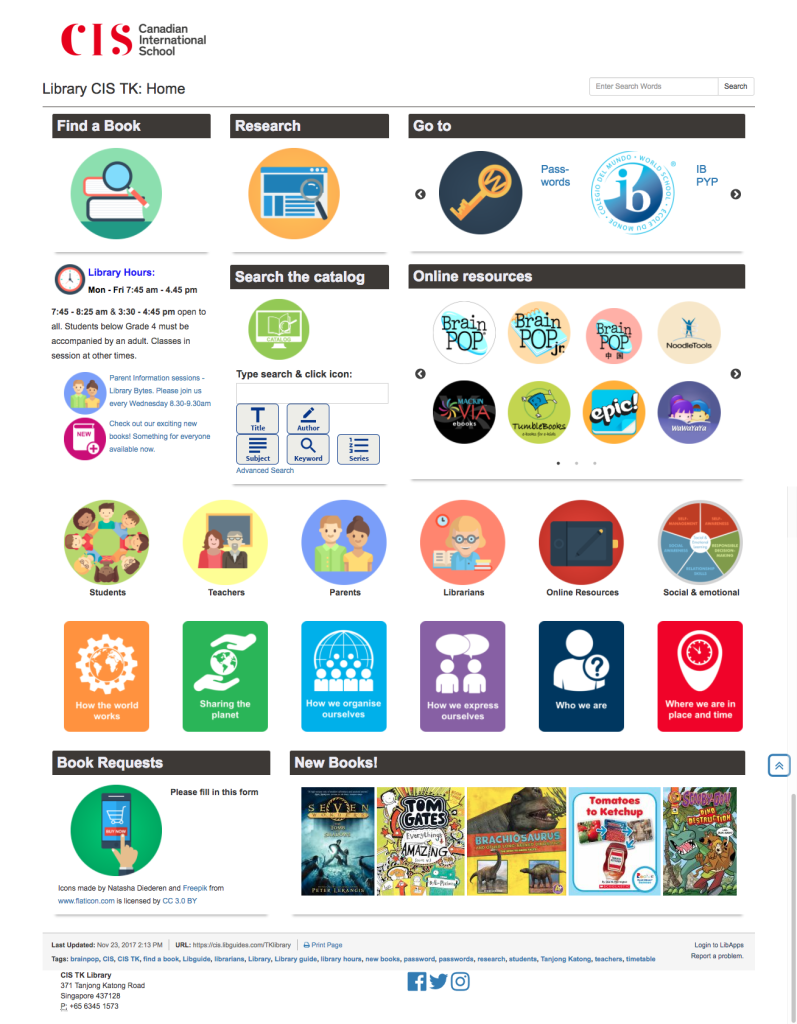
Here is the end result for the home page:
Of course changing one thing means you really need to change everything, because you’ve set new standards for the way things have to be. This is time consuming, but you also have the advantage that it gives you lots of practise, so you don’t forget what you’ve just learnt. I also revamped all the UOI guides as they’re the most frequently used, and
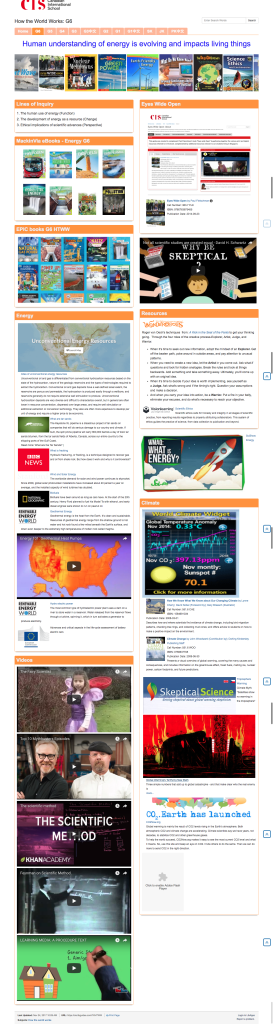
I’m moving my way through other guides. And they’re not perfect, every time I look at one I need to change a bit more. As we move towards new unit’s I’m updating the old guides so that the look and feel is the same, that the same elements can be found in the same places, and responding to student and teacher feedback. Some guides are a lot longer with more information on them – depending mainly on how intensively they’re used by the teacher, and some are more perfunctory – basically just a minimal presence because they’re not used / valued as much. That’s fine by me.
When I tell people who ask that I do libguides inbetween everything else, often in 10 minute chunks of time it is completely true. I don’t have a lot of time for this, which is why I do set-up and brain work in vacation time, so during term time is just filling work.
The next phase of the process has been to do some staff development so that my staff can take over the maintenance of sites. For example every time we have a new batch of books, they scan the ISBN’s into the “new books” LTFL widget, delete the previous list and my front page is automatically updated. While I was waiting for a new Chinese assistant, I also roped a bunch of Chinese speaking mothers (see my point on 10% in my last blog – one of them has a degree in Chinese literature) to read through all my Chinese picture books and put them into resource lists based on the PYP essential elements. These could then be linked to the PYP guide.
As a school with bilingual classes we have an increased responsibility in the library to ensure there is equity in the provision of help and resources to our Chinese classes. This is easier said than done. My new Chinese speaking assistant has been tasked with a more extensive involvement, including creating the Chinese Guides, as that is not something my limited Chinese extends to. The great thing is that they actually love this work, finding it more creative and fun than the check-in/check-out and shelving tasks that is their usual daily fare. 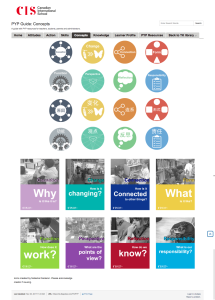
The next next phase for me is student curation. We’ve done a little of that, for example by asking G6 students to recommend the 3 best sources of information during their exhibition project. Last year we also started experimenting with Flipboard for the curation of articles by G5 & 6 students and teachers, and then embedding the Flipboard into the guide . We could do a lot more in that respect, but we’re being cautious with articles vetted by teachers or myself before being added.
Of course 4 months later I’m not entirely satisfied with everything. There is still a lot of work to be done on consistency and getting older guides up to standard. I need to work out a better process of guide building and handover. And after chatting to Kim Beeman at Tanglin, who is redoing her guides – albeit with a good number of dedicated qualified design and technical staff, I know I need to delve into UX. She’s recommended a couple of web accessibility evaluation tools such as mouseflow, WAVE, and crazyegg. But that will have to wait for the Christmas break, as this is just a small part of my job!

 I think our school, as an IB PYP school is pretty future-ready in many aspects, in fact sometimes I think the cost of being “future ready” is that you occasionally need to go “back to basics” and check up on the 3 R’s and make sure you stay sober and self-critical.
 So, a few weeks into my new job I discovered we had an unused library guide subscription, and

 Informative Flights - Musings of a Teacher Librarian