A detailed description of the activity undertaken
The bibliographic tool: EasyBib was reviewed. This tool is used at UWCSEA-East for secondary students for citation, note taking, research paper organisation, the creation of annotated bibliographies and to teach academic honesty. The topic of
* Digital materials/resources and emerging technologies
is covered in this post.
Firstly the ease of set up was evaluated followed by the creation of citations in EasyBib.
Ease of Setup:
In order to set up EasyBib, the school’s library guide was followed. Following the slide show step by step, the set up was fairly easy. It took about 30 minutes, including looking for passwords and access codes. For a student reasonably familiar with add-ons and chrome (which most of our students should be) this part should not be a problem.
Creation of Citations:
In order to review the citation tool, a few of the most common primary resources used by our students was tested using EasyBib. For each resource, output was created in the 2 most common citation methods used by the school, namely MLA and APA. The output was then compared to the citation using Zotero (which I am most familiar with and which was previously used by the school as a citation tool) and both were checked to the MLA and APA guidelines. The other factor that was looked at included how much additional manual input was required and how “intuitive” manual completion was.
Print book –
I only needed to input the ISBN and the tool did the rest automatically.
MLA Result EasyBib:
Lipson, Charles. Cite Right: A Quick Guide to Citation Styles–MLA, APA, Chicago, the Sciences, Professions, and More. Chicago: U of Chicago, 2011. Print.
MLA Result Zotero:
Lipson, Charles. Cite Right: A Quick Guide to Citation Styles–MLA, APA, Chicago, the Sciences, Professions, and More. 2nd ed. Chicago?; London: University of Chicago Press, 2011. Print. Chicago Guides to Writing, Editing, and Publishing.
APA Result EasyBib:
Lipson, C. (2011). Cite right: A quick guide to citation styles–MLA, APA, Chicago, the sciences, professions, and more. Chicago: University of Chicago Press.
APA Result Zotero:
Lipson, C. (2011). Cite right: a quick guide to citation styles–MLA, APA, Chicago, the sciences, professions, and more (2nd ed.). Chicago?; London: University of Chicago Press.
All results were comparable, except EasyBib abbreviated University to “U” (which is acceptable) and added “Print” as the format which is correct, further, EasyBib did not state the edition, whereas Zotero did.
Journal Article –
Two different articles were selected and the DOI was input. EasyBib could find neither of the citations (Zotero could find the citation using the DOI only). Trying “autocite” using the name of the journal also didn’t work, so manual input was required. Unlike Zotero, you cannot chose between author full name and separating between Name, Initial and Surname, so copying and pasting the information requires 3 or 4 steps instead of one.
MLA Result EasyBib:
Croll, Theodore P., DDS, and Kevin J. Donly, DDS. “Tooth Bleaching in Children and Teens.” Journal of Esthetic and Restorative Dentistry 26.3 (2014): 147-50. Web.
MLA Result Zotero:
Croll, Theodore P., and Kevin J. Donly. “Tooth Bleaching in Children and Teens: Perspectives.” Journal of Esthetic and Restorative Dentistry 26.3 (2014): 147–150. CrossRef. Web. 6 Aug. 2014.
APA Result EasyBib:
Croll, T. P., DDS, & Donly, K. J., DDS. (2014). Tooth Bleaching in Children and Teens. Journal of Esthetic and Restorative Dentistry, 26(3), 147-150.
APA Result Zotero:
Croll, T. P., & Donly, K. J. (2014). Tooth Bleaching in Children and Teens: Perspectives. Journal of Esthetic and Restorative Dentistry, 26(3), 147–150. doi:10.1111/jerd.12108
Since EasyBib has a space for a suffix, and the journal article stated the authors were both DDS, this suffix was included, but this does not appear to be necessary. For MLA, once again, EasyBib correctly includes the format (Web) which Zotero doesn’t.
Of the APA results, only the Zotero result is in fact correct and up to date with the latest APA guidelines as it includes the DOI. The lack of EasyBib’s ability to extract data from the DOI can be seen as a drawback particularly for older students who use journal articles more frequently. This may be a result of the fact that EasyBib is only linked with JStor and Proquest. In order to test this hypothesis, another DOI was tested (from a Proquest related journal), and this resulted in a correct link – and correct citation in both MLA and APA.
APA result EasyBib:
Rey, P. J. (2012). Alienation, Exploitation, and Social Media. American Behavioral Scientist, 56(4), 399-420. doi: 10.1177/0002764211429367
APA result Zotero:
Rey, P. J. (2012). Alienation, Exploitation, and Social Media. American Behavioral Scientist, 56(4), 399–420. doi:10.1177/0002764211429367
MLA result EasyBib:
Rey, P. J. “Alienation, Exploitation, and Social Media.” American Behavioral Scientist 56.4 (2012): 399-420. Web. 6 Aug. 2014.
MLA result Zotero
Rey, P. J. “Alienation, Exploitation, and Social Media.” American Behavioral Scientist 56.4 (2012): 399–420. CrossRef. Web. 6 Aug. 2014.
The “CrossRef” item in the Zotero MLA result is not correct, it should state “Web”.
Internet resource –
A considerable amount of information was missing. In fact the only item that was correct was the URL, and every other piece needed to be found. However, every step of the way EasyBib gave helpful hints as to what information was needed and where the information could be found. A particularly useful feature was the way that the “finished” citation evolved alongside the fill in boxes – the “LearnCite” feature.
MLA Result EasyBib:
Hume-Pratuch, Jeff. “How to Use the New DOI Format in APA Style.” APA Style Blog. American Psychological Association, 25 July 2014. Web. 06 Aug. 2014.
MLA Result Zotero:
Hume-Pratuch, Jeff. “APA Style Blog: How to Use the New DOI Format in APA Style.” APA Style Blog. Blog. N.p., 25 July 2014. Web. 6 Aug. 2014.
In this instance, the EasyBib citation is the correct one, mainly as a result of the fact that Zotero doesn’t have an entry space for the publisher / owner of the website.
APA Result EasyBib:
Hume-Pratuch, J. (2014, July 25). APA Style Blog: How to Use the New DOI Format in APA Style. Retrieved August 6, 2014, from http://blog.apastyle.org/apastyle/2014/07/how-to-use-the-new-doi-format-in-apa-style.html
APA Result Zotero:
Hume-Pratuch, J. (2014, July 25). How to Use the New DOI Format in APA Style. APA Style Blog. Blog. Retrieved August 6, 2014, from http://blog.apastyle.org/apastyle/2014/07/how-to-use-the-new-doi-format-in-apa-style.html
In this instance neither EasyBib nor Zotero are correct. According to the APA the correct citation would be:
Hume-Pratuch, J. (2014, July 25). How to Use the New DOI Format in APA Style [Blog post]. Retrieved August 6, 2014, from http://blog.apastyle.org/apastyle/2014/07/how-to-use-the-new-doi-format-in-apa-style.html
2. Answers to the following questions:
What did you learn?
I learnt that despite the appearance of ease and automatic generation, one needs to have a healthy dose of scepticism and the willingness to be familiar with the citation rules and to check results or input against these rules. I also became better informed about DOIs and the limitations of two commonly used citation generators. I also contacted the APA to confirm my understanding of the requirements for citation of websites and Zotero about the apparent failure to comply with either MLA or APA for website referencing. To my surprise both organisations got back to me within a few hours, the APA to confirm and Zotero to say that the error would be fixed and they subsequently sent me the system update request to prove it was being dealt with! This has also taught me that as a consumer I can approach service organisations and make reasonable requests for change.
How was the activity relevant to your professional practice as a librarian for children or young adults?
In my academic life I use Zotero, so I was not fully comfortable with using EasyBib and not fully aware of its capabilities and limitations. This activity has given me the opportunity to explore these. I can now better serve my student clients and find the information needed for them to manage the citation and referencing needed for their research.
Were any gaps in your knowledge revealed? How might you fill those gaps?
Personally I am very familiar with APA, while most of the school uses MLA, with the exception of IB (International Baccalaureate) students in certain subjects. This has enabled me to become more familiar with the requirements of MLA and to notice the differences in requirements between the two. I have also found some good resources on both APA and MLA that I can consult when in doubt as to the correct citation form. Creating this blog post, with its complications of formatting has also revealed a huge gap in my ability to create a blog with as good a “look and feel” as I can create in a word document. Understanding HTML may be my next PD learning experience.
Websites consulted and references:
- Barnes, D. (2013, February 5). EasyBib Bibliography tool – a student review [Blog post]. i see teach. Retrieved August 6, 2014, from http://daibarnes.info/blog/easybib-bibliography-tool-a-student-review/
- Boettiger, C. (2013, June 3). DOI?!= citable [Blog post]. Retrieved August 6, 2014, from http://www.carlboettiger.info/2013/06/03/DOI-citable.html
- Burkhardt, A. (2011, July 11). A Tale of Two Citation Tools [Blog]. Information Tyrannosaur. Retrieved August 6, 2014, from http://andyburkhardt.com/2011/07/11/a-tale-of-two-citation-tools/
- Croll, T. P., & Donly, K. J. (2014). Tooth Bleaching in Children and Teens: Perspectives. Journal of Esthetic and Restorative Dentistry, 26(3), 147–150. doi:10.1111/jerd.12108
- Griffith, E. (2012, September 27). Abandoned for Years, Web 2.0 Tool EasyBib Is Now a Thriving Business [News Article]. PandoDaily. Retrieved August 6, 2014, from http://pando.com/2012/09/27/abandoned-for-years-web-2-0-tool-easybib-is-now-a-thriving-business/
- Hamilton, B. (2012, March 27). Easing Their Citation Pain: Putting the Focus on Critical Thinking in Research with EasyBib [Blog post]. The Unquiet Librarian. Retrieved August 6, 2014, from http://theunquietlibrarian.wordpress.com/2012/03/27/easing-their-citation-pain-putting-the-focus-on-critical-thinking-in-research-with-easybib/
- Hamilton, B. (2013, January 14). Get Started with EasyBib – EasyBib 101 – [Library Guide]. LibGuides at Creekview High School. Retrieved August 6, 2014, from http://www.theunquietlibrary.libguides.com/easybib
- Hume-Pratuch, J. (2014, July 25). How to Use the New DOI Format in APA Style [Blog post]. APA Style Blog. Retrieved August 6, 2014, from http://blog.apastyle.org/apastyle/2014/07/how-to-use-the-new-doi-format-in-apa-style.html
- Kessman, J. (2013, October 23). EasyBib Listed as a Great Mobile App to Help Research. Retrieved August 6, 2014, from http://content.easybib.com/category/product-reviews/#.U-J4woCSyIA
- Lipson, C. (2011). Cite right: a quick guide to citation styles–MLA, APA, Chicago, the sciences, professions, and more (2nd ed.). Chicago?; London: University of Chicago Press.
- OWL Purdue University. (2014a, August 4). APA Formatting and Style Guide. Retrieved August 6, 2014, from https://owl.english.purdue.edu/owl/resource/560/10/
- OWL Purdue University. (2014b, August 4). MLA Works Cited: Electronic Sources (Web Publications). Retrieved August 6, 2014, from https://owl.english.purdue.edu/owl/resource/747/08/
- Provenzano, N. (2011, April 18). It’s an Easy Choice! My Review of EasyBib. The Nerdy Teacher. Retrieved August 6, 2014, from http://www.thenerdyteacher.com/2011/04/its-easy-choice-my-review-of-easybib.html
- Rey, P. J. (2012). Alienation, Exploitation, and Social Media. American Behavioral Scientist, 56(4), 399–420. doi:10.1177/0002764211429367
- Teaching Blog Addict. (2011, September). EasyBib: a Free Bibliography Maker [Blog post]. Teaching Blog Addict. Retrieved August 6, 2014, from http://www.teachingblogaddict.com/2011/09/easybib-free-bibliography-maker.html
- UWCSEA-East Campus. (n.d.). EasyBib – Citation – LibGuides at United World College of Southeast Asia. Retrieved August 6, 2014, from http://research.uwcsea.edu.sg/c.php?g=33290&p=211365

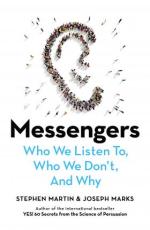 A podcast episode that made a particularly profound impact on me was Freakanomics’ “In Praise of Maintenance” . Another favourite is Hidden Brain’s The Cassandra Curse which is particularly pertinent at the moment – with the fudging of Corona Virus numbers by a person who shall not be named in a country that should know better. A great book to read on Messengers and Messages is “Messengers” by Stephen Martin – valuable lessons on who gets listened to and why – spoiler – middle aged women are generally not listened to.
 I still like Alison Yang’s graphic that came out waaaay at the start of the closures – about a million years ago (actually only five weeks but it feels much longer). Since not all the tools she recommended were “China Friendly) I used it (with permission) as the basis for the summary of the tools we’re using – each link in the guide leads to a page of explanations and usage tips and recommendations.


 Informative Flights - Musings of a Teacher Librarian